Overview
One script on your storefront sends batched events to PRZIO; the Tracker tool aggregates them for your team.
- Visitor ID — stable anonymous id in the
przio-uuidcookie (shared with other Przio tools). - Session — id in
sessionStoragekeyprzio-tracker-session; a new session after 30 minutes of inactivity. - Identity — optional
externalUserIdviaPrzioSDK.identify/stitch(logged-in user). - SPA support —
history.pushState/replaceStateandpopstatetriggerpage_view_endthen a newpage_view. - Delivery — in-memory queue; periodic flush, batch size threshold, and
sendBeacon/fetch(keepalive)on tab close.
Prerequisites
- PRZIO project — Open your project and copy the project ID.
- Tracker enabled for the project — The tool must be available on your plan (same project workspace as Email, Popup, etc.).
- SDK origin — Production snippet typically loads from
https://app.przio.com/sdk.js; API calls go tohttps://app.przio.com/api/sdk(derived from the script URL).
Preview mode. Popup QA preview URLs do not run full tracker initialization. Production storefront pages should use the normal embed without preview query params for real traffic.
Embed the SDK
Add the script in the <head> or early in the body so it initializes before user navigation. Replace the host if you self-host the app; keep data-project-id in sync with the project you open in the dashboard.
<script src="https://app.przio.com/sdk.js" data-project-id="YOUR_PROJECT_ID" ></script>
Optional: PrzioSDK.init({ … })
If you load the script without attributes, call init after load with at least projectId (or set data-project-id on the script tag as above).
// Example: disable auto click capture on a specific template
window.PrzioSDK && window.PrzioSDK.init({
projectId: 'YOUR_PROJECT_ID',
trackerAutoCaptureClicks: false
});
init() — Tracker-related options
These merge into the SDK config when you call init (defaults apply if omitted).
| Option | Description |
|---|---|
tracker | false disables all Tracker collection. Default is on. |
trackerAutoCaptureClicks | false turns off automatic click events on links, buttons, [data-przio-track], and role="button" / role="link". |
trackerBlocklist | Array of path substrings or RegExp — events whose path matches are dropped. |
apiUrl | Override API base (default: script origin + /api/sdk). Events POST to {apiUrl}/tracker/events. |
JavaScript API (window.PrzioSDK)
| Method | Description |
|---|---|
track(name, props?) | Emit a custom event. name must be a string; props optional plain object stored as properties. |
identify(userId, profile?) | Alias for stitch plus an immediate queue flush so the next events include externalUserId. |
stitch(userId, profile?) | Persist stitched user id (and optional profile) for this browser + project. |
getStitchedUserId() | Returns the current external user id or null. |
getStitchedProfile() | Returns stored profile object if any. |
config() | Returns merged config (useful when debugging). |
// Custom funnel step or conversion PrzioSDK.track('checkout_started', { cartValue: 129, currency: 'USD' }); // After login — tie this device to your user id PrzioSDK.identify('usr_8821', { email: 'alex@example.com' });
Automatic event types
The SDK sends these eventType values without calling track:
eventType | When |
|---|---|
session_start | New session (first event after idle timeout or missing session). |
page_view | Full load and each SPA navigation. |
page_view_end | Tab hidden or unload; includes duration (ms). |
click | Auto-capture on supported elements; optional label from data-przio-track. |
form_submit | Capture-phase listener on <form> submit. |
tracked_click | Click matches an active click metric (selector + URL rule) from the dashboard. |
custom | Emitted when you call PrzioSDK.track. |
Label auto-clicks
<a href="/pricing" data-przio-track="nav_pricing">Pricing</a>
The value of data-przio-track is sent as eventName on the auto click event (in addition to element text/href/selector).
Click metrics (dashboard)
In Project → Tracker → Click metrics, create a metric: human-readable name, CSS selector (matched with element.closest(selector)), and a URL match rule so the rule only runs on relevant pages.
urlMatch.type | Behaviour |
|---|---|
all | Every path. |
exact | Path or full URL equals pattern. |
contains | Path or full URL contains pattern. |
starts_with | Path or full URL starts with pattern. |
regex | Full page URL matches JavaScript RegExp pattern. |
Activation. Only active metrics are returned to the storefront via GET /api/sdk/click-tracking-activities?projectId=….
Dimensions & drag-and-drop breakdowns
In the dashboard builder, any metric widget can be sliced by a dimension by dragging it onto the widget.
- Unique visitors by page — Drag Unique visitors onto the canvas, then drop Page path on the widget.
- Find auto-captured clicks by link name — Use the “Top clicked links (by text)” preset or drag Click link text onto a click metric widget.
- Filter by page URL — Open widget settings and add a filter
path equals /pricing(orcontainsfor prefixes).
Server safety. The widget API only accepts allowlisted breakdown/filter fields; the dashboard never queries arbitrary Mongo fields.
Public ingest API
POST https://app.przio.com/api/sdk/tracker/events (or your app origin + /api/sdk/tracker/events).
CORS is open for browser fetch / sendBeacon. Body shape:
{
"projectId": "64f0…abc",
"events": [
{
"visitorId": "…",
"sessionId": "…",
"eventType": "custom",
"eventName": "server_job",
"url": "https://yoursite.com/account",
"path": "/account",
"timestamp": "2026-05-11T12:00:00.000Z",
"isQA": false,
"trackingType": "production",
"properties": { "job": "sync" }
}
]
}
Server validates eventType, clips string lengths, caps batch size, and enriches geo from edge headers when available.
In-app dashboards
- Overview —
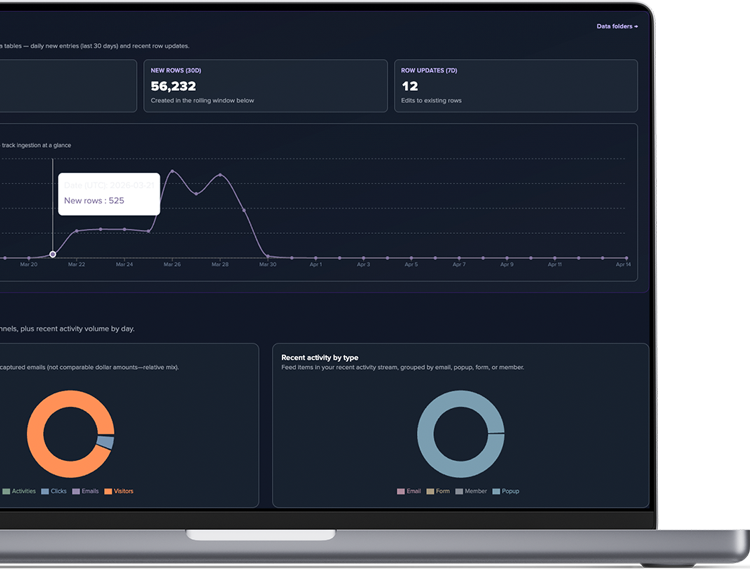
/projects/{id}/tracker— KPIs, time series, top pages, referrers, UTMs, device breakdowns, recent activity. - Click metrics —
/projects/{id}/tracker/click-metrics— list, create, toggle, edit selectors. - Dashboards —
/projects/{id}/tracker/dashboards— drag-and-drop widgets backed byPOST /api/tracker/widget.
Authenticated REST routes for overview, dashboards, and click-metric CRUD require a logged-in dashboard session (Bearer token)—same pattern as other project tools.
Integration checklist
- Single
sdk.jsinclude per page; correctdata-project-id. - Network tab shows
POST …/api/sdk/tracker/eventsafter navigation ortrackcalls. - SPA: confirm
page_viewfires on client-side route changes. - After login, call
identifyso reports can segment byexternalUserId. - Click metrics: URL rule + selector tested on staging; metric set to Active.
- Team uses Tracker overview and dashboards under Project → Tracker.