przio.com

Campaign Composer

Email editor for HTML campaigns you actually ship

Build and send HTML campaigns with AI-assisted editing—templates, split view, live preview, and sends from your PRZIO workspace.
Visual HTML · blocks & layers AI assist · full email or selection Send · campaigns from project
Campaign Composer

One surface for design, code, and delivery

Stay in flow from first layout to tracked send—split preview, reusable blocks, AI edits, and project-scoped templates.

Split view & devices

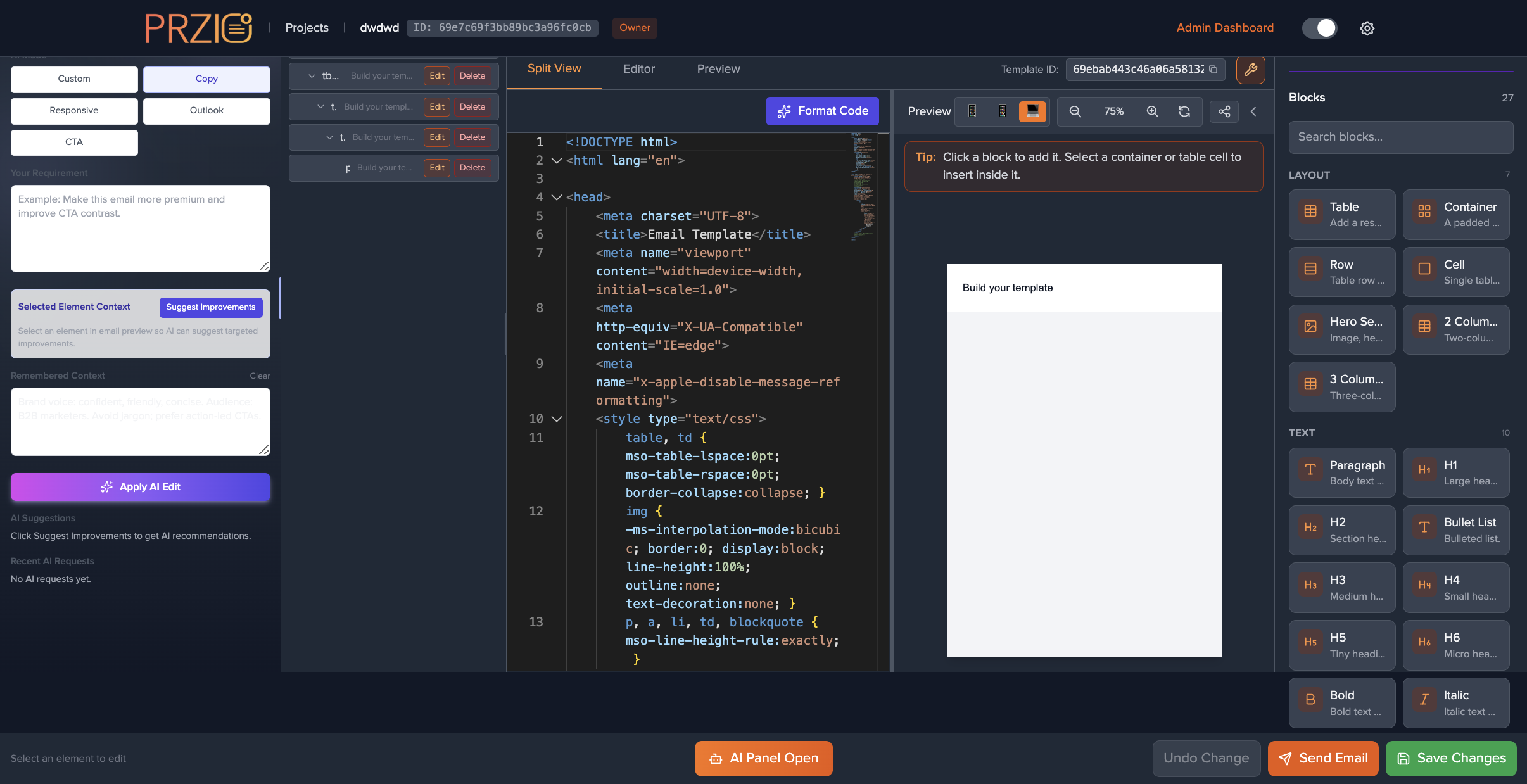
Edit HTML alongside a live preview, tune for mobile and desktop, and keep your main-email structure intact.
AI-assisted editing

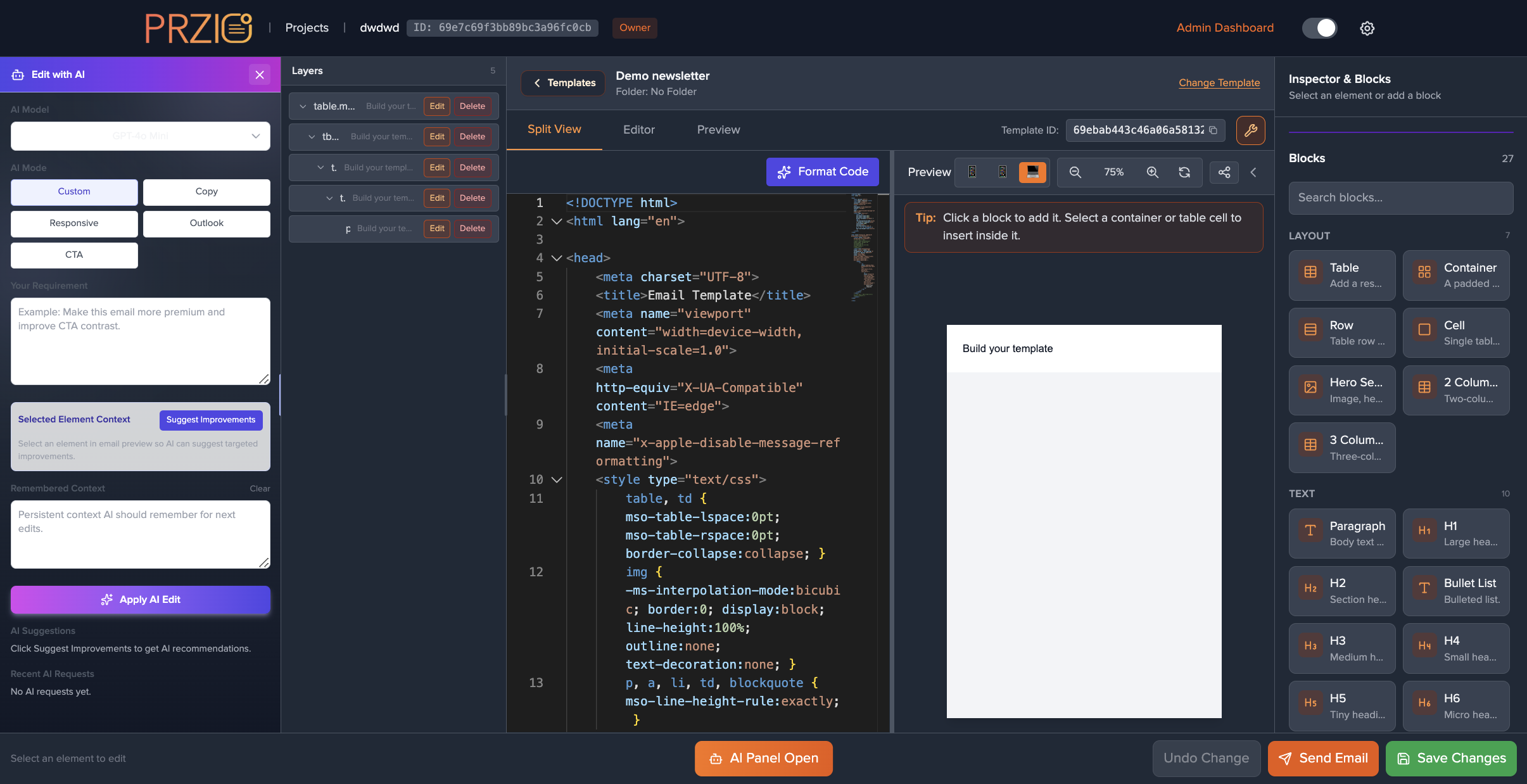
Describe the change you want—copy tone, responsive fixes, Outlook quirks, CTAs—or get suggestions for the selected block.
Blocks & layers

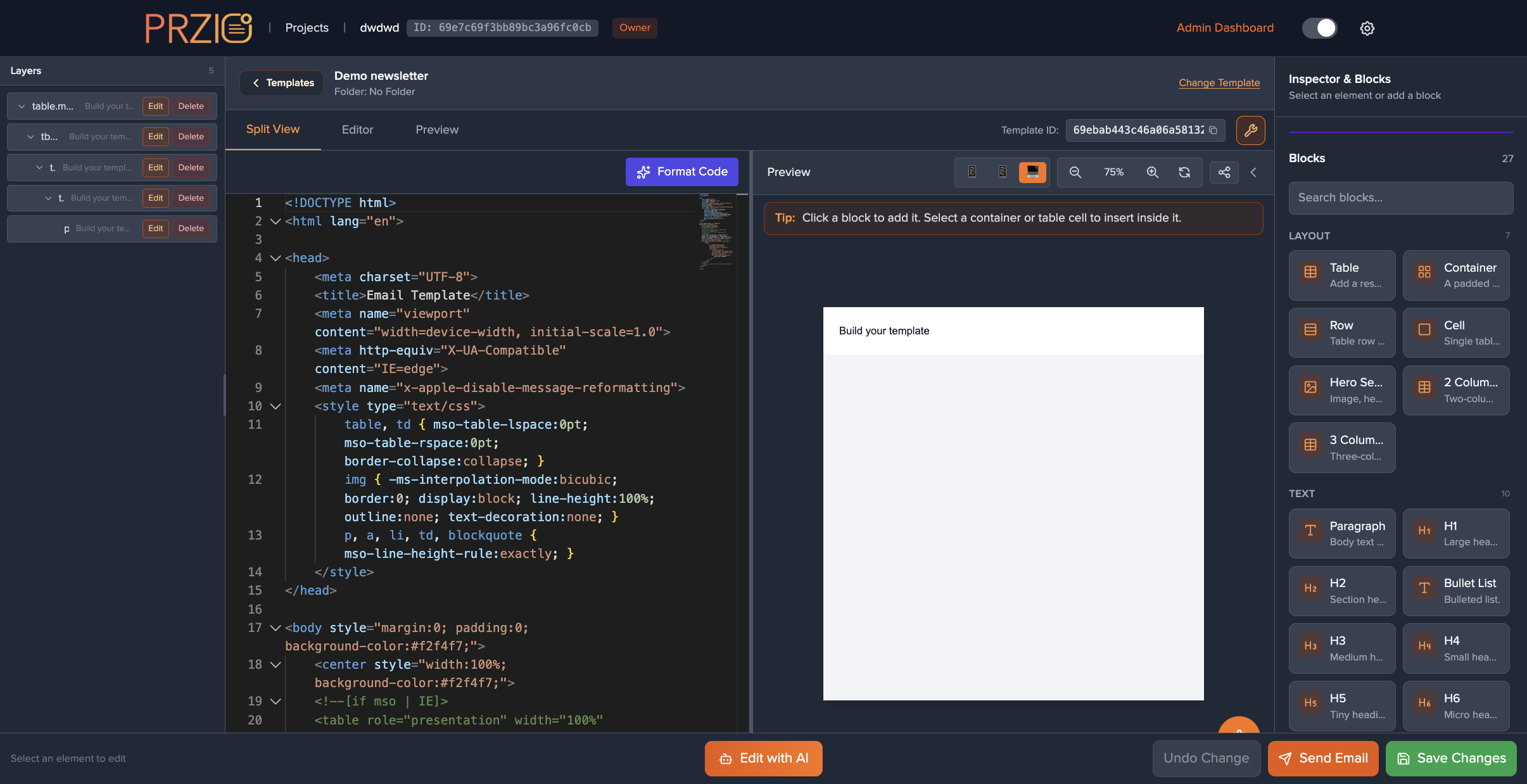
Insert layout primitives, navigate the layer tree, and keep edits scoped to the email canvas so production HTML stays predictable.

Templates & send hub

Open the gallery from your project, reuse defaults and samples, then send tests and campaigns when SMTP is configured for the workspace.

Workflow

From blank canvas to inbox

Three beats that match how marketers and builders work together—each paired with a real editor view.

Structure

Blocks, layers, and safe HTML

Insert layout primitives, navigate the layer tree, and keep edits scoped to the email canvas so production HTML stays predictable.

  • Reusable blocks library with search
  • Layer list with edit / delete per node
  • Template styling for global tweaks
Intelligence

AI that respects your brand voice

Switch modes for copy, responsiveness, Outlook, or CTAs. Add persistent context so the next edit remembers your product and tone.
  • Model choice per workspace policy
  • Element-scoped suggestions in preview
  • Undo stack for quick rollback
Delivery

Ship campaigns from the same project

When SMTP is configured for the workspace, send tests and campaigns without exporting fragile HTML zip files to another system.

  • Send email flow from the toolbar
  • Project-scoped templates and IDs
  • Email dashboard for sent mail
Examples

Campaign Composer in action

Drag horizontally—you’ll see one full story and a peek at the next. Each card uses a screenshot from the email editor in your PRZIO project.

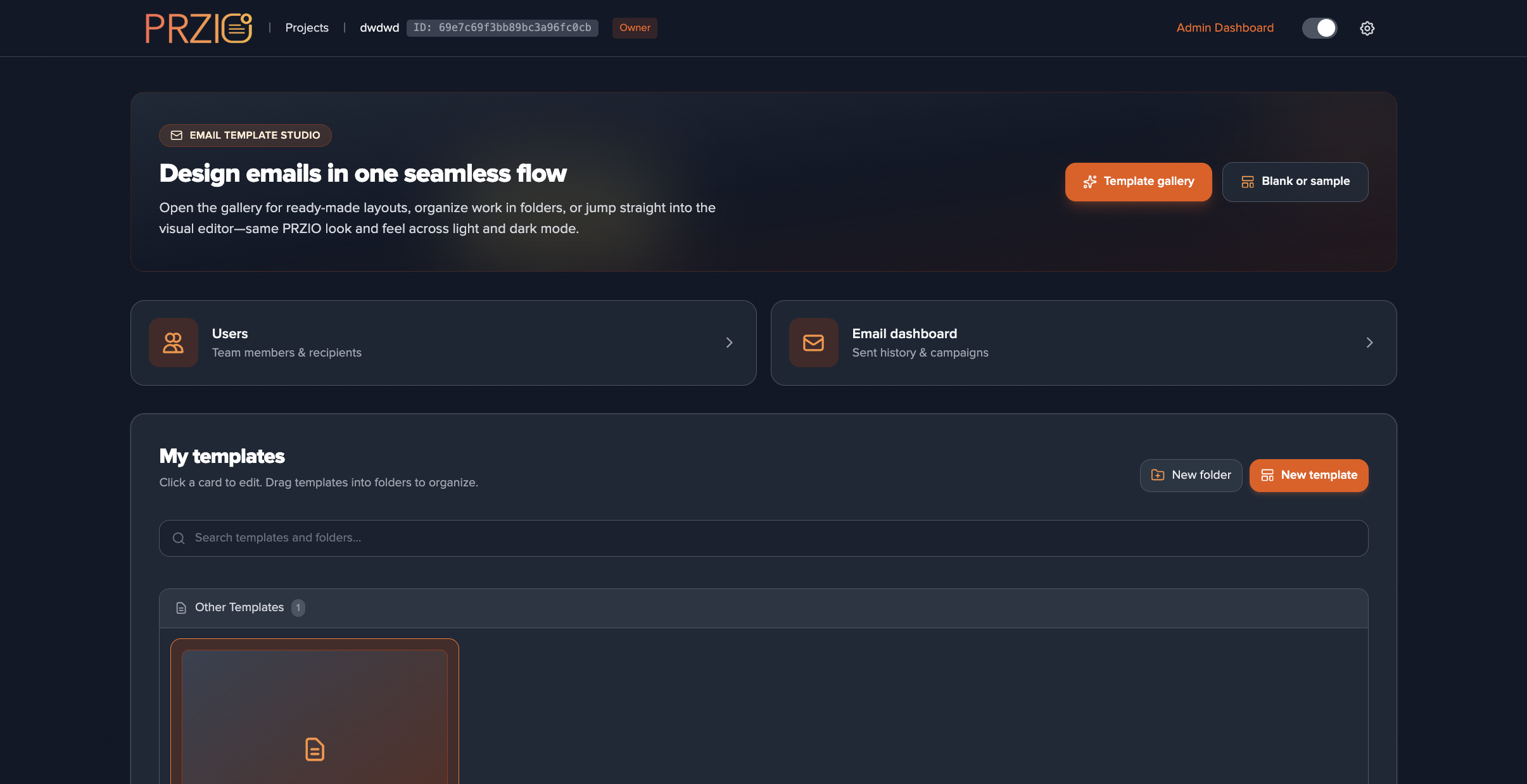
Start from the template hub

Gallery defaults, project shortcuts, and email dashboard tiles keep the first send and the next iteration in one workspace.

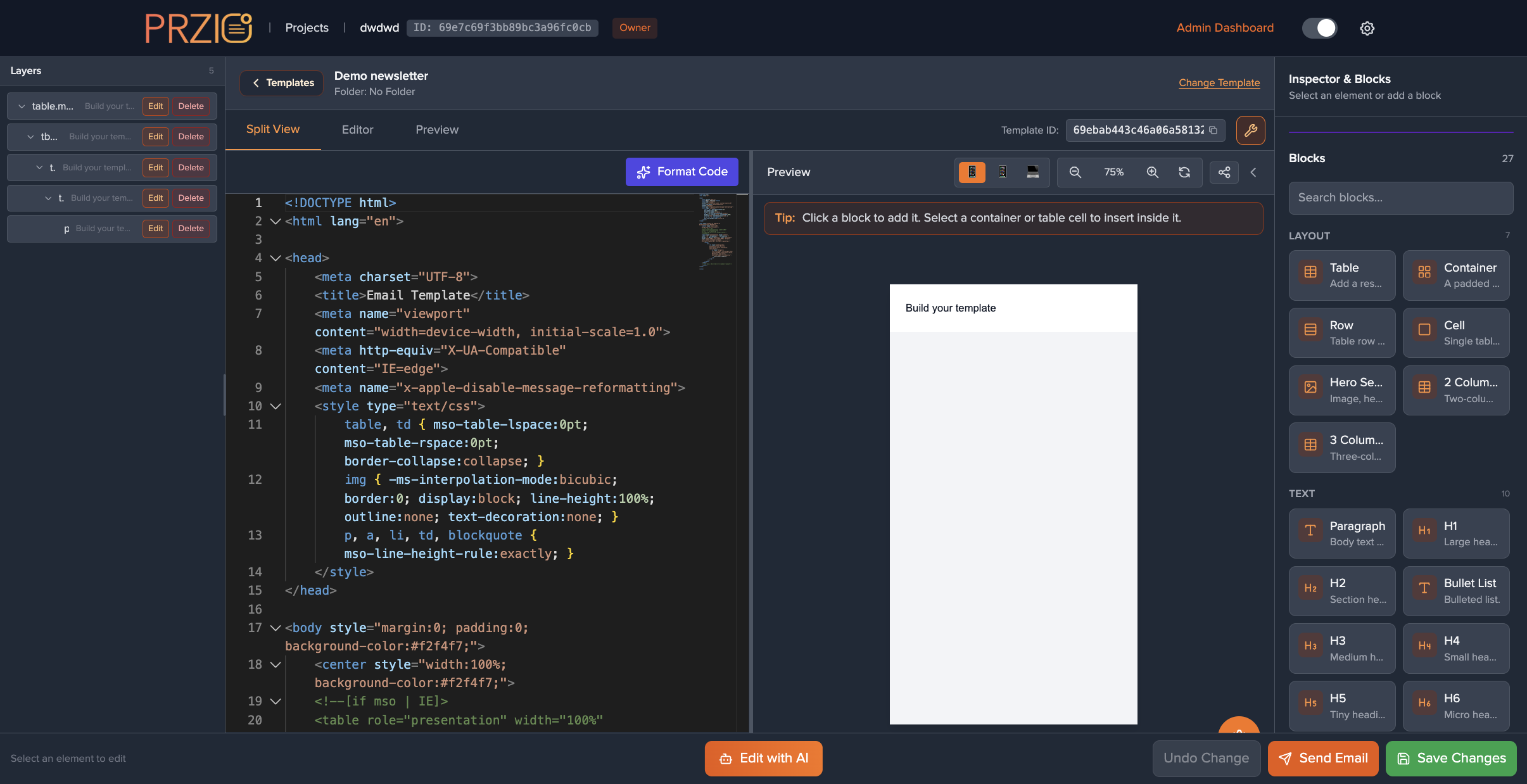
Code and preview side by side

Edit source while the live preview updates—switch device frames so mobile table layouts do not surprise you at send time.

AI edits with guardrails

Modes, requirements, and apply keep changes scoped—iterate on copy or markup without losing the structure your ESP expects.

Structure you can navigate

Search blocks, pick layout primitives, and use the layer list so every edit lands on the right node in complex HTML.

Brand voice in context

Persist product and tone notes so the next suggestion reads like your team—not a generic draft—before you publish or send.

Ready to compose your next campaign?

Open Campaign Composer from any project’s Email editor tile. Transactional and bulk email via the PRZIO SDK live under /integration/email in your deployed app.

Back to overview

Copyright © 2026 PRZIO. All rights reserved.