
Overview
One project hosts mixed folders. Your integrations usually start with folder ID (and for files, asset URL; for content, block ID; for data, table ID + keys).
- Assets folders — Images, video, PDFs, ZIP uploads; optional image URLs from your own domain; thumbnails and “copy asset URL” in the UI.
- Content folders — Named blocks with top-level
fieldsand/orcolumns[]of fields (text, richText, imageUrl, json, etc.) for headless page sections, sliders, and feed packages. - Data folders — One or more tables per folder; you define column keys; apps ingest rows using a short-lived session token obtained by exchanging the table write key (shown once at creation or rotation).
Single list endpoint. GET /api/projects/:projectId/assets returns all folders with their folderType so you can filter client-side, or call with ?folderId= to fetch one folder (and optional blockId / blockName for content).
The three folder types
Assets (media)
Use for files that need a stable hosted URL: email images, popup hero art, personalization image variants, and PDFs. Folders of this type store files[] with url, size, mime, and optional title/alt. You can also register an image by HTTPS URL if it lives on a domain you control (UI enforces that policy).
Content (blocks)
Use when marketing or product wants to edit structured page sections (e.g. home hero, “upcoming” rail) without shipping code. Each content block has a name, optional description, and fields organized in columns (for multi-column layouts) or a flat fields list. Field types include text, textarea, richText, itemList, imageUrl, number, boolean, and json for nested config. Fetch by folder, or use blockId / blockName for a single block.
Data (tables)
Use for row-oriented data that should be written from your app (registrations, line items, product rows) and optionally read in PRZIO or over the data-rows API. You create a table in a data folder, define keys (column names, uniqueness, required, max length), and save the one-time write key. Your backend (or a trusted client) exchanges folderId + tableId + writeKey for a JWT at POST .../data/session, then POSTs rows to .../data/rows with Authorization: Bearer <session> so the write key never ships to end users.
Prerequisites
- PRZIO account and a project (copy the project id from the dashboard or snippet
data-project-id). - API key (optional but typical for server and cross-origin fetches) — Settings → API Keys for the project; required for
X-API-Keyon the Assets API. - Assets route in the app — Open Project → Assets (path pattern
/projects/<projectId>/assets) to create folders and open the in-app API & integration guide for copy-paste examples tied to your live project id.
Dashboard workflow
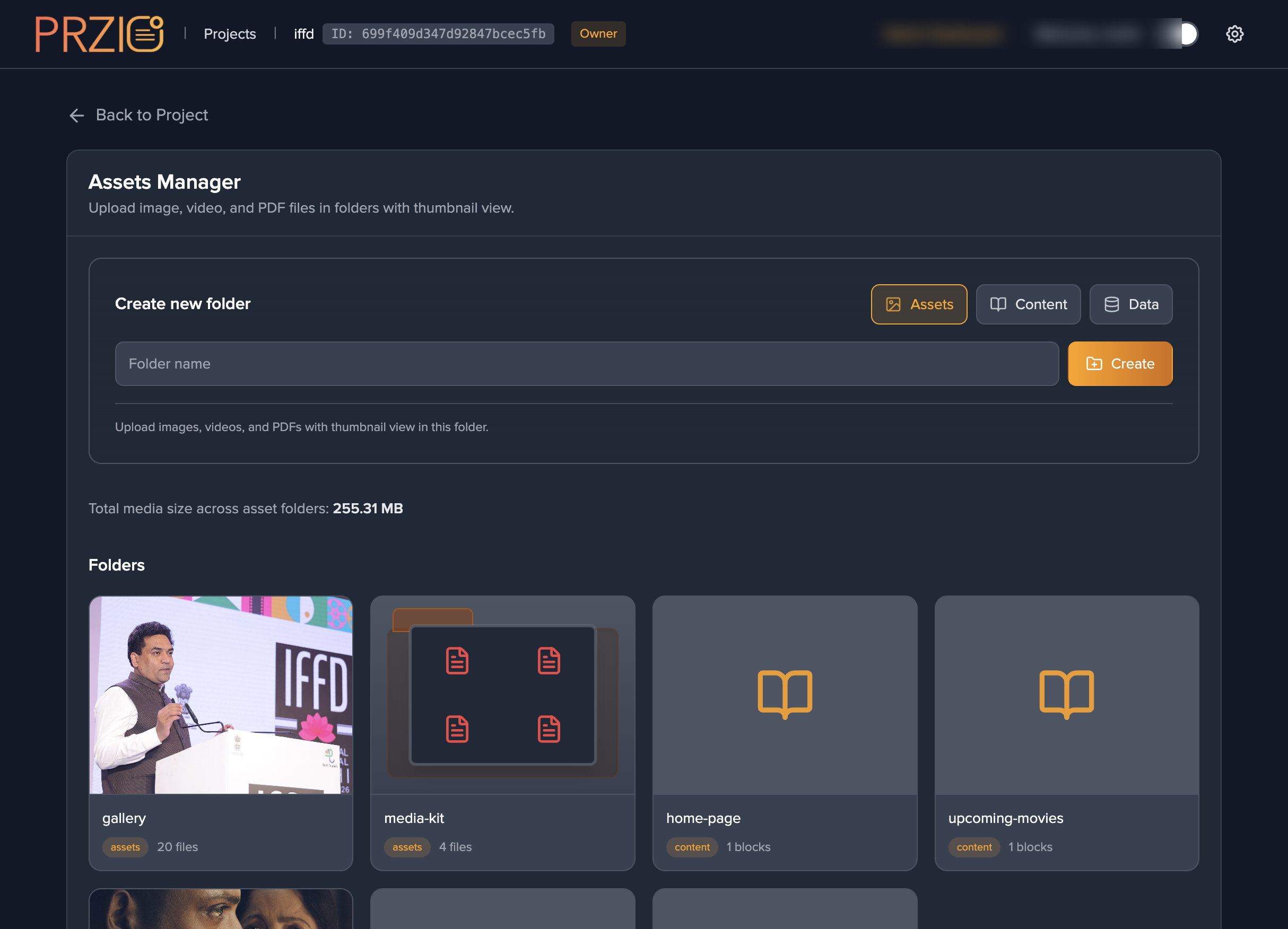
Mirror of the UI paths referenced on Assets landing screenshots.
- Create a folder — toggle Assets, Content, or Data, enter a name, click Create.
- Open the folder — copy folder ID from the card or detail header where exposed.
- For assets: upload files, paste image URLs, or ZIP → extract. Copy asset URL per file.
- For content: add blocks and fields in the editor; copy block ID when shown.
- For data: add a table, define keys, store the write key securely; configure read/share keys in the UI if you use those flows.
https://przio.com/wp-content/themes/przio-theme/assets/assets-tl/mcp-assets-01-manager-assets-tab.png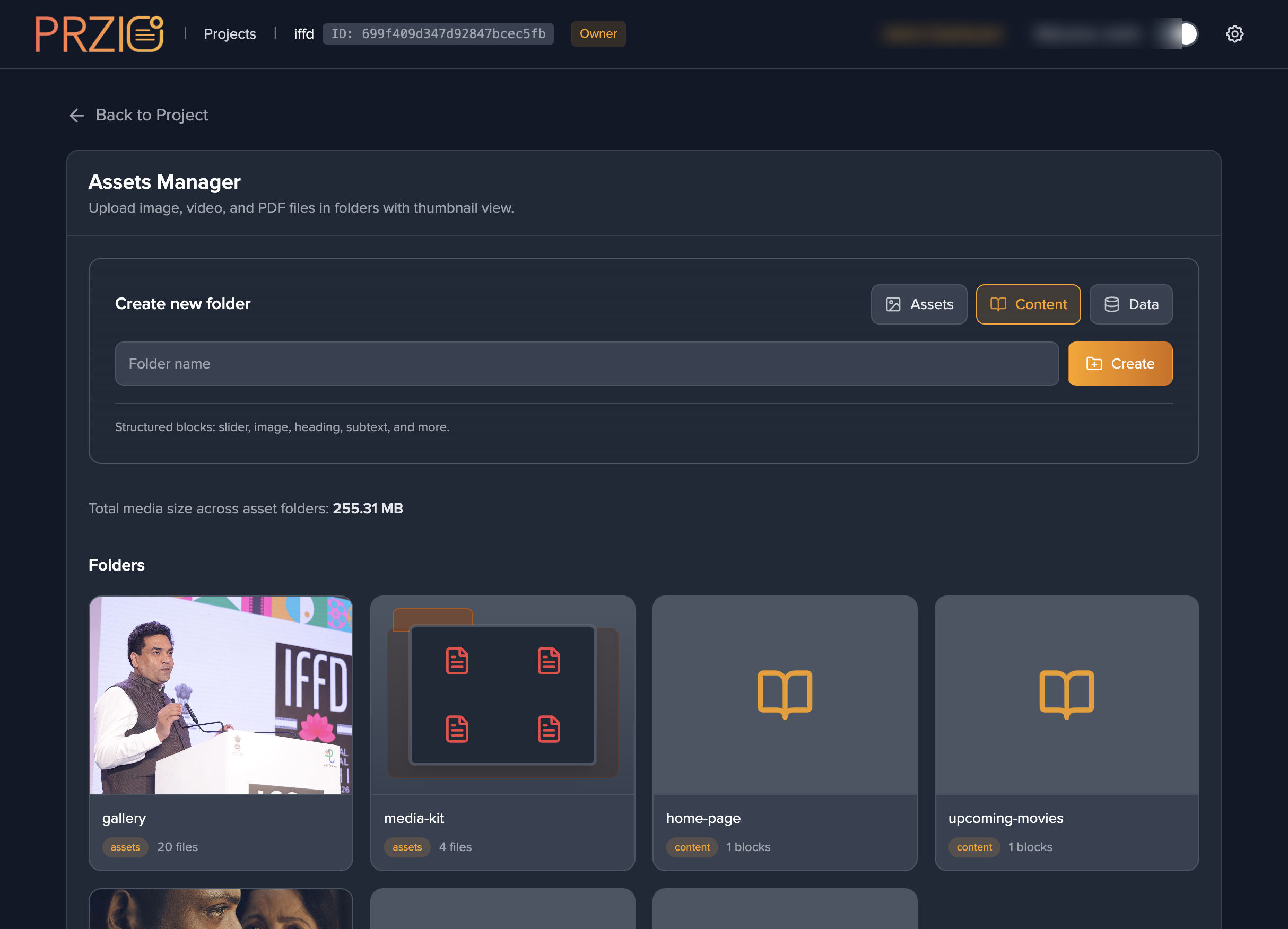
mcp-assets-03-content-tab.png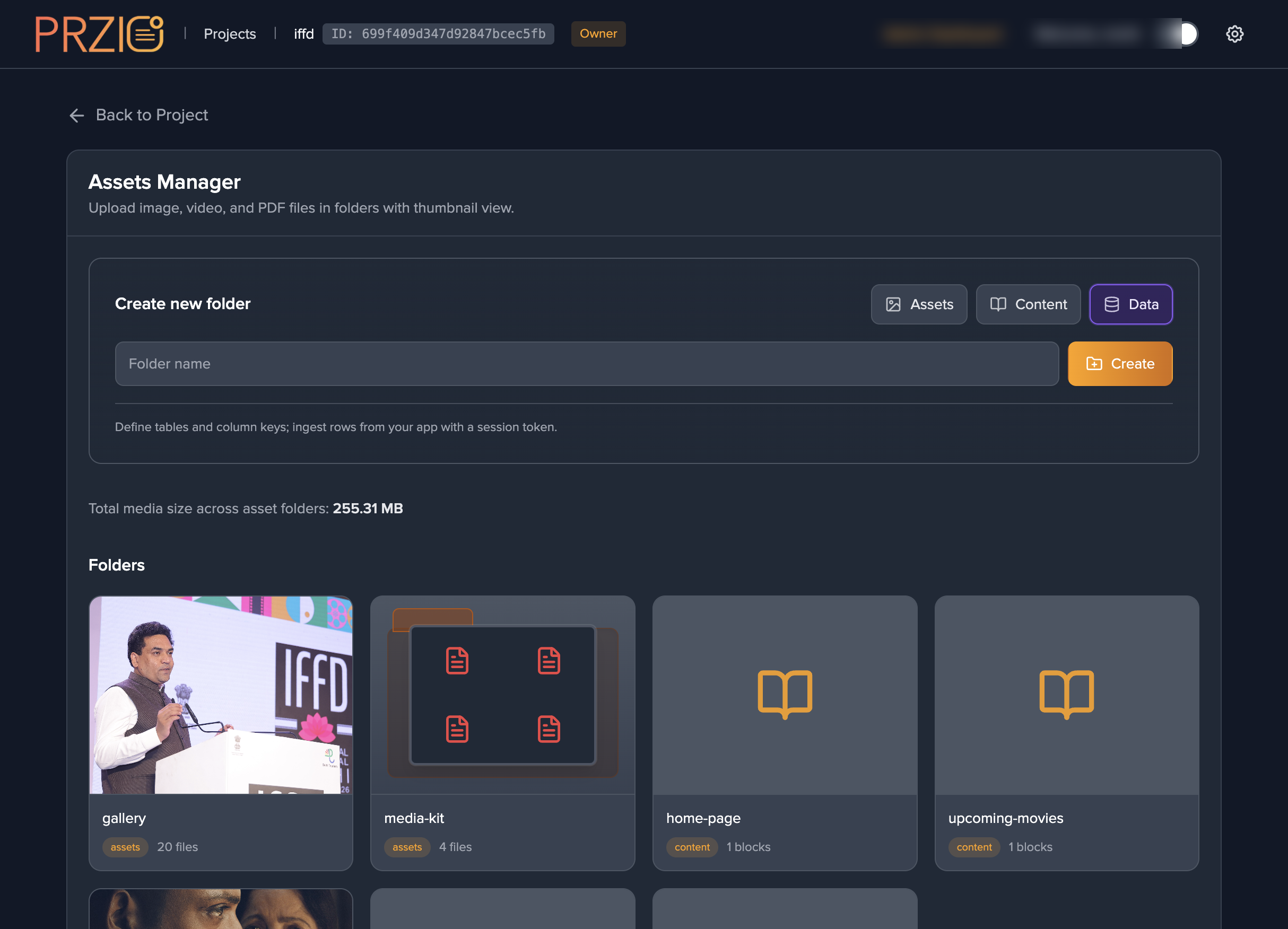
mcp-assets-04-data-tab.pngAuthentication & CORS
The Assets API accepts:
X-API-Key: <project API key>— simplest for server-side and for browserfetchwhen you are comfortable embedding a key (prefer server proxy for public sites).Authorization: Bearer <JWT>— user session from login, or token fromPOST /api/auth/api-keywith your API key and project id.
Cross-origin fetch to the PRZIO app host is allowed when one of these headers is present (CORS preflight includes Authorization, X-API-Key, Content-Type).
Data row writes use a different token: the data session JWT from POST /api/projects/:id/data/session, or a logged-in user JWT with explicit folderId / tableId in the body (see Data · session & rows).
REST — list and fetch folders
Base host example: https://app.przio.com. Replace PROJECT_ID and ids with yours.
List all folders
GET https://app.przio.com/api/projects/PROJECT_ID/assets
X-API-Key: YOUR_API_KEY
Response: { "folders": AssetFolder[], "projectId": string }
One folder
GET https://app.przio.com/api/projects/PROJECT_ID/assets?folderId=FOLDER_ID
X-API-Key: YOUR_API_KEY
Response: { "folder": AssetFolder, "projectId": string }
Content block by id or name
GET .../assets?folderId=FOLDER_ID&blockId=BLOCK_ID
GET .../assets?folderId=FOLDER_ID&blockName=block-name
Response: { "block": ContentBlock, "folderId", "projectId" }
JavaScript (browser or Node)
const res = await fetch('https://app.przio.com/api/projects/PROJECT_ID/assets', {
  headers: { 'X-API-Key': 'YOUR_API_KEY' },
});
const { folders, projectId } = await res.json();
PrzioSDK.Content (third-party sites)
Load the same sdk.js as popups/personalization. new PrzioSDK.Content({ baseUrl, projectId, apiKey }) calls the Assets API from the customer origin with CORS. Use getFolder(folderId), getBlock({ folderId, blockId }) (or blockName), and PrzioSDK.Content.parseJsonField(field) for type: 'json' fields.
<script src="https://app.przio.com/sdk.js" defer></script>
<script>
  const content = new PrzioSDK.Content({
    baseUrl: 'https://app.przio.com',
    projectId: 'PROJECT_ID',
    apiKey: 'YOUR_PROJECT_API_KEY',
  });
  const { folder } = await content.getFolder('CONTENT_FOLDER_ID');
  const blocks = folder.contentBlocks || [];
  const { block } = await content.getBlock({
    folderId: 'CONTENT_FOLDER_ID',
    blockId: 'BLOCK_ID',
  });
</script>
You can pass bearerToken instead of apiKey if you already have a user JWT.
Data tables — session token & rows
1. Exchange write key for a session JWT (call from your server or a trusted client after you verify the user):
POST https://app.przio.com/api/projects/PROJECT_ID/data/session
Content-Type: application/json

{
  "folderId": "fld-...",
  "tableId": "dt-...",
  "writeKey": "plaintext-write-key-from-dashboard"
}
Response includes token and expiresIn (30 minutes). Use Authorization: Bearer <token> on row endpoints.
2. Append or upsert rows — POST to the data rows API (folder/table are bound in the session token, or supplied with a user JWT per server rules):
POST https://app.przio.com/api/projects/PROJECT_ID/data/rows
Authorization: Bearer DATA_SESSION_JWT
Content-Type: application/json

{
  "data": { "email": "a@b.com", "ticket": "VIP" },
  "match": { "key": "email", "value": "a@b.com" }
}
The match object selects upsert behavior against your defined column keys (single key/value or composite — see server validation in your deployment). For full request shapes, use the in-app guide and frontend/app/api/projects/[id]/data/rows/route.ts in the repo.
Security. Never put the table write key in public client bundles. Exchange it on your backend after authentication, or use a server route that holds the key and calls PRZIO server-to-server.
Response shapes (summary)
| Object | Relevant fields |
|---|---|
AssetFolder |
id, name, folderType (assets | content | data), files[], contentBlocks[], dataTables[], timestamps. |
| Media file | id, name, mimeType, url, size, title, altTag, uploadedAt, … |
ContentBlock |
id, name, description, fields[], columns[] (each column has fields[]). |
| Field | key, type (text, textarea, richText, itemList, imageUrl, number, boolean, json, …), value. |
DataTable (in API response) |
id, name, keys[], writeKeyConfigured, readKeyConfigured, shareLinkConfigured — secrets are never returned, only flags. |
Content Security Policy (CSP)
If the site that calls the API or loads sdk.js uses CSP, allow the PRZIO host (e.g. https://app.przio.com) in script-src and connect-src.
Content-Security-Policy: script-src 'self' https://app.przio.com; connect-src 'self' https://app.przio.com;
Integration checklist
- Folder type matches the integration (assets vs. content vs. data).
- API key or Bearer token available where
fetchruns; never expose project write keys in public clients. - Content: prefer
getBlockwhen a single block maps to one page region. - Data: write key only on server; session JWT short-lived; test row POST in staging.
- CSP updated if the consuming site uses strict headers.
- Re-read the live API & integration guide on your project’s Assets page for copy-paste snippets with your real ids.