
Product and article recommendations
What you’re wiring up
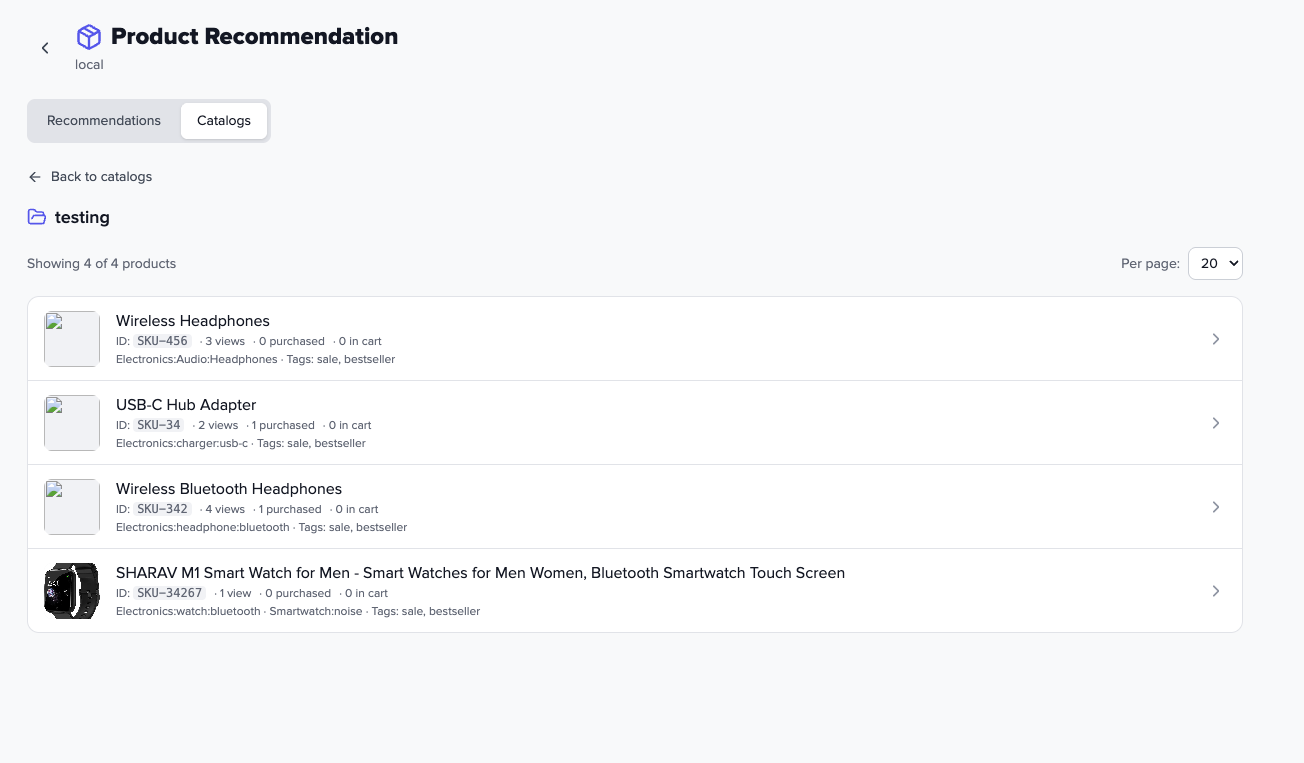
activityId and catalogId in your integration.
Przio sits next to your storefront. You keep checkout and your CMS; you add a script,
call feedProduct on product pages, optionally trackProductView on grids,
and getRecommendations wherever you render a carousel or row. Each
recommendation activity in the app chooses a strategy (or a mix), caps how many SKUs return,
and can enforce include/exclude rules on the fields you already send in the feed.
Views are counted once per product per session—so “most viewed” and collaborative signals don’t balloon when someone refreshes the PDP.
When it helps
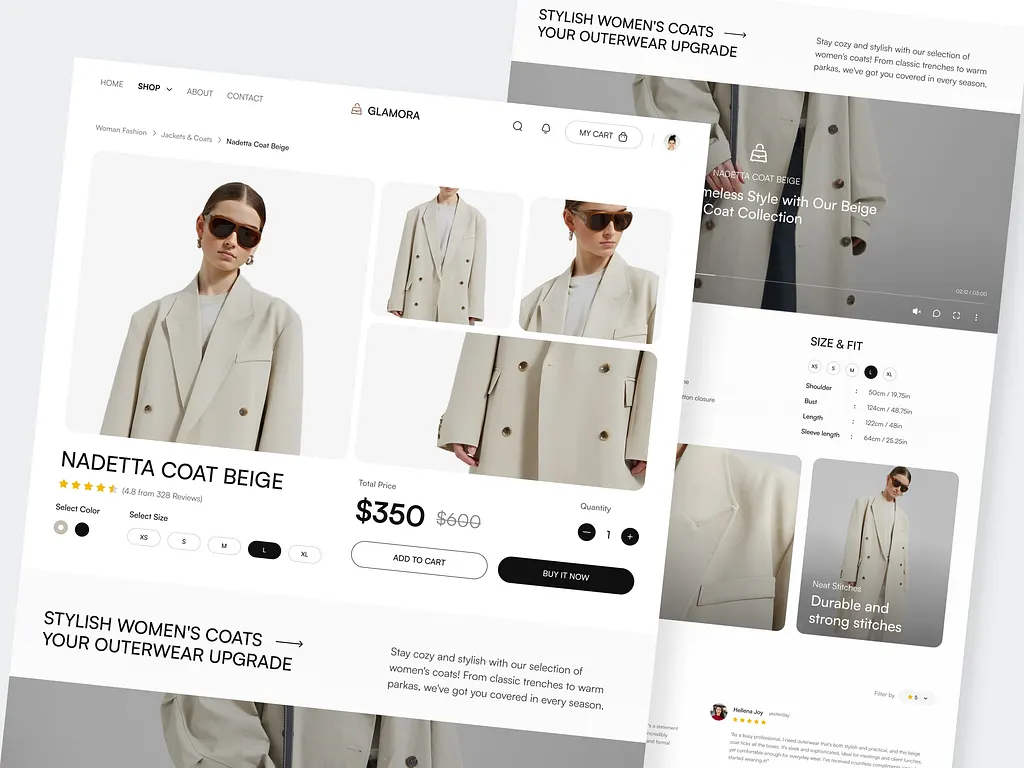
Static “related products” blocks rarely reflect this morning’s browse path or what’s sitting in the cart. Wiring real signals—recent views, category affinity, cart SKUs, completed orders—makes the strip feel intentional instead of random.
- PDP: similar SKUs, “others who viewed this also viewed…”, exclude the current product from the list.
- Global: recently viewed, “for you” based on recent browsing, trending by real view volume.
- Cart & post-purchase: follow-on categories from cart or order history (after you feed those events).
- Merchandising: hard rules (brand, tag, price band) when marketing needs control over the pool.
How it fits together
activityId and catalogId in your integration.- Catalog — Create a catalog in the app; activities can be scoped to it.
- PDP feed —
feedProduct({ catalogId, product })syncs SKU, images, category path, tags, and any extra keys you use in rules. - Listing views —
trackProductView({ productId })when a tile is seen, so popularity and collaborative models aren’t PDP-only. - Optional profile signals — Same SDK:
categoryIdson listing pages,cartIds/cartCategorieswhen the cart changes,productPurchasedIdsafter checkout. - Activity — Pick type(s), limit, include/exclude criteria, optional “exclude already seen.”
- Fetch —
getRecommendations({ … })or authenticated REST; render HTML yourself.
Visitor identity defaults from the przio-uuid cookie; pass your own userIdentifier when you want logged-in users aligned with your IDs.
Recommendation types
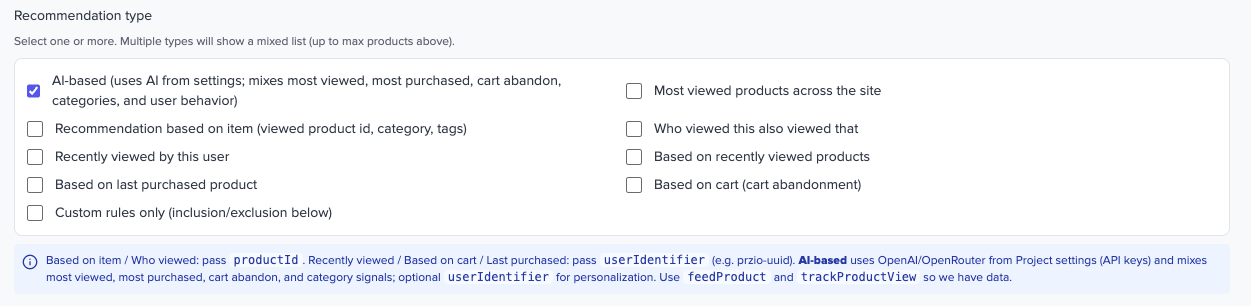
activityId and catalogId in your integration.Pick one strategy per call or configure a mix of types in a single activity (shared limit across the combined result).
| Type | Plain language | Typical placement |
|---|---|---|
criteria |
Products matching rules on catalog fields (category, tags, custom keys). | Curated strips, brand campaigns. |
mostViewed |
Popular SKUs by session-aware view counts. | Homepage, category rails. |
similarProduct |
Same category/tags (and related feed data) as the current product. | PDP “You might also like.” |
whoViewedThisViewedThat |
People who viewed this SKU also viewed other SKUs. | PDP cross-sell. |
recentlyViewed |
This visitor’s recent product history. | Drawer, account, footer rail. |
basedOnRecentlyViewed |
Items similar to what they’ve been browsing. | Homepage “For you.” |
basedOnCart |
Driven by current cart SKUs/categories (requires cart feed). | Cart, mini-cart. |
basedOnLastPurchased |
Follow-on from purchase history (requires purchase feed). | Order confirmation, email prep. |
aiBased |
AI-assisted ranking when enabled for the activity. | Where you’ve turned it on. |
Parameters cheat sheet (SDK)
| Type | Pass productId? | Pass userIdentifier? |
|---|---|---|
| Most viewed | No | No |
| Similar / Who viewed this… | Yes (current SKU) | No |
| Recently viewed / Based on recent / Cart / Last purchased | No | Yes (or cookie default) |
| Criteria / AI (typical) | No | Optional |
Rules, limits, deduplication
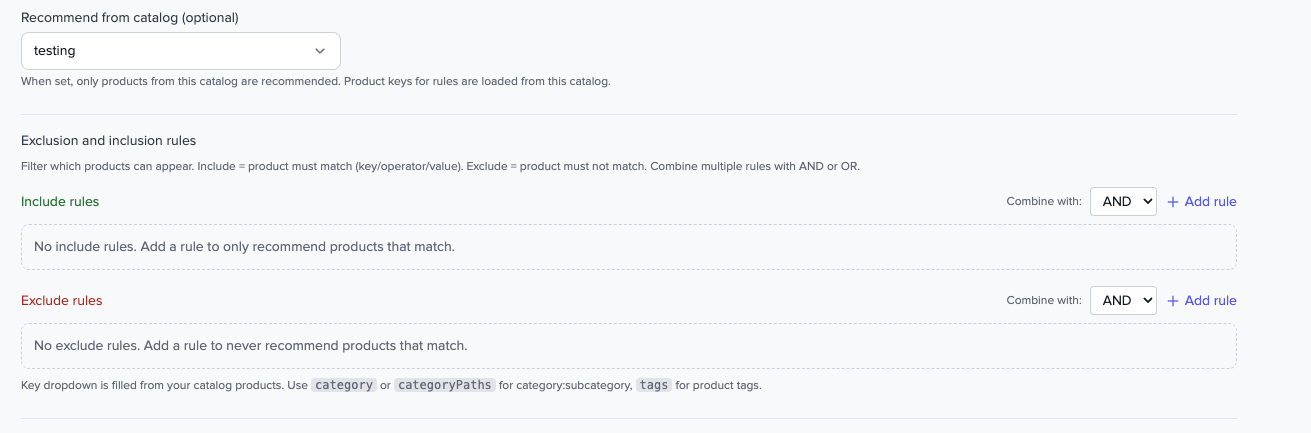
- Include / exclude — Separate groups with operators like contains, equals, in, does not contain, starts with; combine with AND or OR.
- Limit — Max products per response for that activity.
- Exclude current product — Pass
excludeProductIdon the PDP so the active SKU doesn’t appear in its own row. - Exclude already seen — Optional activity flag to drop SKUs this visitor already saw (needs stable user identity).
- Purchases — After checkout, feed purchase IDs; use profile fields such as
excludeAlreadyPurchasedIdswhen you don’t want to recommend what they already bought.
Setup checklist
- Note Project ID from the project dashboard or settings.
- Product Recommendation → Catalogs → New catalog → copy Catalog ID.
- New recommendation → set name, Activated, type(s), limit → copy Activity ID from the list or editor.
- Add the SDK script in
<head>on every page (see below). - PDP:
feedProduct({ catalogId, product })with at leastid,thumbnails, and category/tags as needed. - Grids / quick view:
trackProductView({ productId, catalogId? }). - Render:
getRecommendations({ activityId?, limit, productId?, recommendationType?, excludeProductId? }).
SDK (browser)
Add once, before your product or recommendation code runs:
<script src="https://app.przio.com/sdk.js" data-project-id="YOUR_PROJECT_ID"></script>Feed a product (PDP)
if (window.PrzioSDK && window.PrzioSDK.feedProduct) {
  window.PrzioSDK.feedProduct({
    catalogId: 'YOUR_CATALOG_ID',
    product: {
      id: 'SKU-123',
      thumbnails: ['https://yoursite.com/img.jpg'],
      title: 'Product title',
      category: 'Electronics:Phones:Smartphones',
      tags: ['sale'],
      price: 99.99
    }
  });
}
Most viewed
window.PrzioSDK.getRecommendations({ limit: 8 }).then(function (res) {
  var list = res.recommendations || [];
});
Similar on PDP (exclude current SKU)
window.PrzioSDK.getRecommendations({
  productId: currentProductId,
  excludeProductId: currentProductId,
  limit: 6
}).then(function (res) { /* render */ });
Full parameter lists, category path format, cart/purchase feeds, and trackProductView examples live in the in-app integration copy and the SDK markdown under frontend/docs/ in the repository.
REST (server / Postman)
Use the project auth token from settings. Example paths (see API reference for the full reference):
GET /api/product-recommendation-activities/ACTIVITY_ID/recommendations?projectId=…&limit=10
GET /api/sdk/recommendations?projectId=…&activityId=…&limit=10
FAQ
Do we replace our ecommerce platform?
No. You add scripts and API calls; checkout and catalog ownership stay on your side.
What’s the minimum feed?
At least product id and thumbnails on the PDP; category and tags unlock similarity and better rules.
Why session-based views?
So one person hammering refresh doesn’t inflate “most viewed” or collaborative counts for that SKU.
Can we hide products the customer already bought?
Yes—feed purchases and pass exclusion lists from the visitor profile when fetching recommendations (see SDK docs for profile fields).