
Audience Manager
Inspect per-visitor attributes keyed by przio-uuid, stitch anonymous browsers to your login IDs, and build saved audiences with include/exclude rules. Data reaches the dashboard when your site uses the Przio SDK (setAudience, stitch, and the background audience sync).
Overview
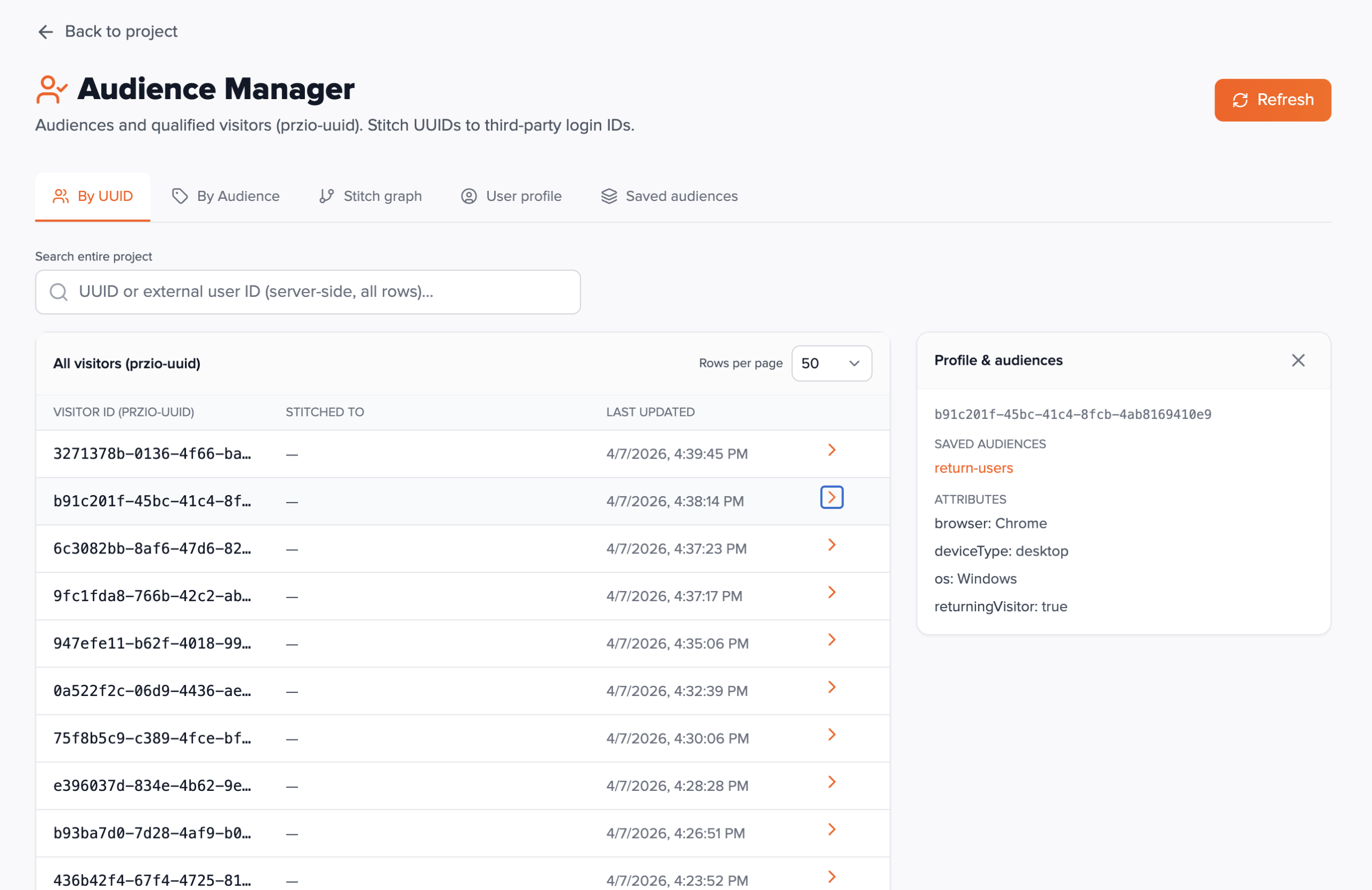
Audience Manager is under Project → Audience Manager. It shows visitors who have interacted with a site that loads your project's sdk.js. Each row is keyed by visitor ID (the przio-uuid cookie). Audience attributes are arbitrary string/number/boolean fields you set with PrzioSDK.setAudience; they persist in the browser and are reported to the server so you can search and segment in the app.
Stitching links a device's UUID to your own externalUserId (and optional userProfile key-values) after login — via PrzioSDK.stitch. That enables cross-device views in By Audience and User profile tabs.
Saved audiences are reusable segment definitions (include/exclude rule trees on attributes and other audiences). Member lists are computed on demand from stored visitor documents.
Prerequisites
- A Przio project with
sdk.jsinstalled on the properties you want to measure. - Audience Manager is available on standard project plans that include it (including Classic tools — see your project license).
- Trial projects may be redirected to upgrade when opening Audience Manager in the app.
- Team access: owners and members with project access can open the dashboard; APIs require a valid Bearer token (logged-in session).
Until visitors run your script and attributes are synced, lists can be empty — that is expected for new projects.
SDK on your site
Same install as personalization: load sdk.js with data-project-id. Then call SDK methods from your pages or tag manager.
setAudience(callback)
Pass a function that receives the current audience object; mutate properties (strings, numbers, booleans). The SDK persists to localStorage and queues a server-side sync so the dashboard updates (see Visitor API — SDK audience report).
PrzioSDK.setAudience(function (audience) {
  audience.bannerSeen = true;
  audience.planTier = 'pro';
});
stitch(externalUserId, profile?)
Call after the user signs in. externalUserId is your stable user key. Optional profile object stores traits (e.g. email, name) shown under User profile. Stitching is stored per project in localStorage and included in audience reports.
PrzioSDK.stitch('user_123', { email: 'a@example.com', name: 'Alex' });Read helpers
The SDK exposes read accessors (e.g. current audience snapshot, stitched ID) for your own logic — see the bundled sdk.js comments.
Dashboard
The top Refresh button reloads bootstrap data (attribute summary, saved audiences) and the current tab's list. Many tables support search (debounced) and configurable rows per page (up to app limits).
By UUID
Paginated list of every visitor document for the project, newest activity first.
Search matches substrings on visitor UUID or external user ID server-side across the collection. Click a row to open a detail panel: full attribute map, qualified saved-audience names, and stitch metadata when present.
By Audience
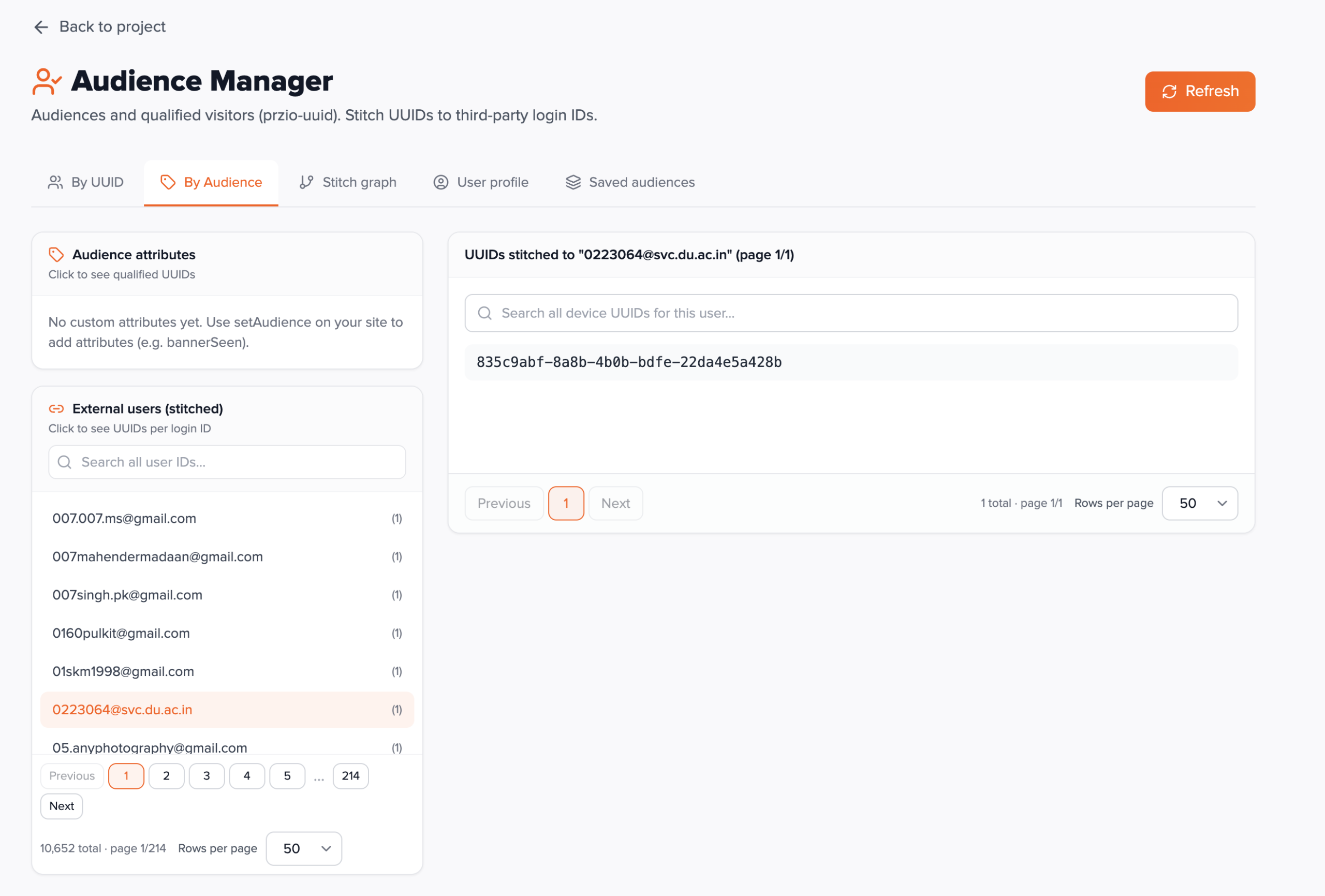
Explore who has a given attribute key, and list external user IDs with device counts.
Attribute keys are aggregated across visitor documents for the project. Choosing a key lists everyone who currently has that attribute. The external-user list shows distinct logged-in users and device counts; selecting one shows the UUIDs stitched to that account.
Stitch graph
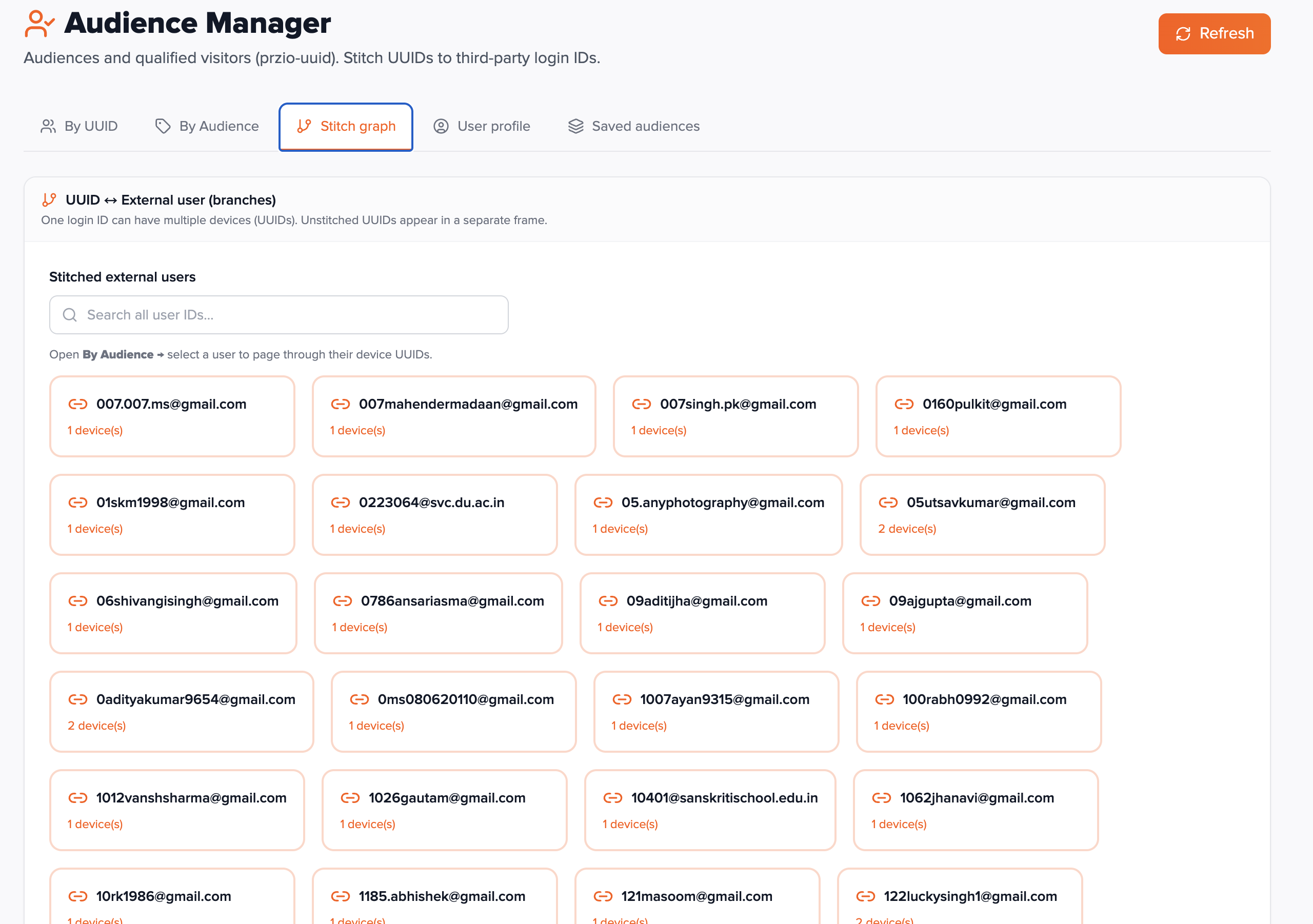
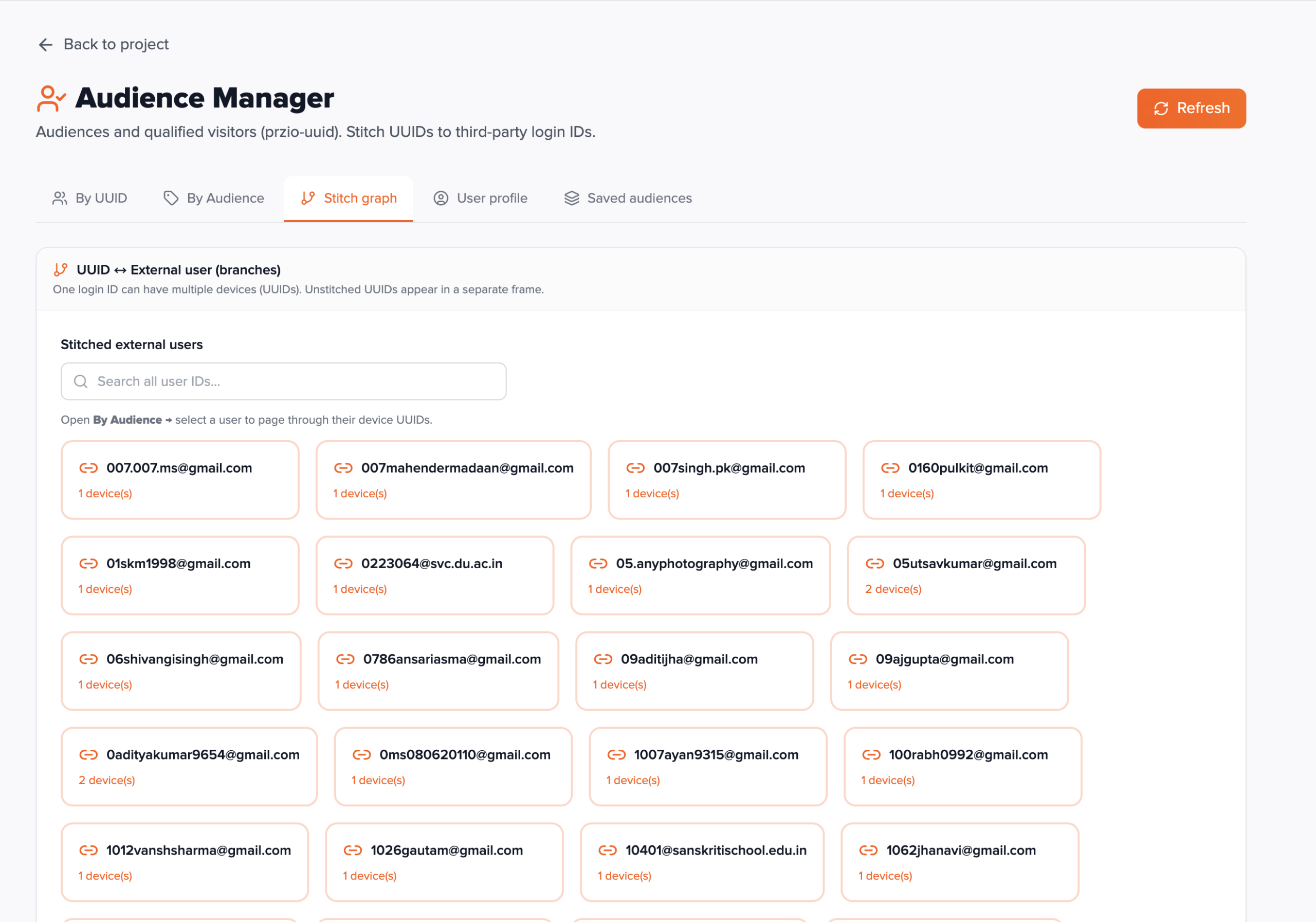
Operational view for identity stitching health.
Surfaces external users alongside unstitched visitors (UUIDs without an externalUserId) so you can confirm login flows are calling stitch and spot gaps.
User profile
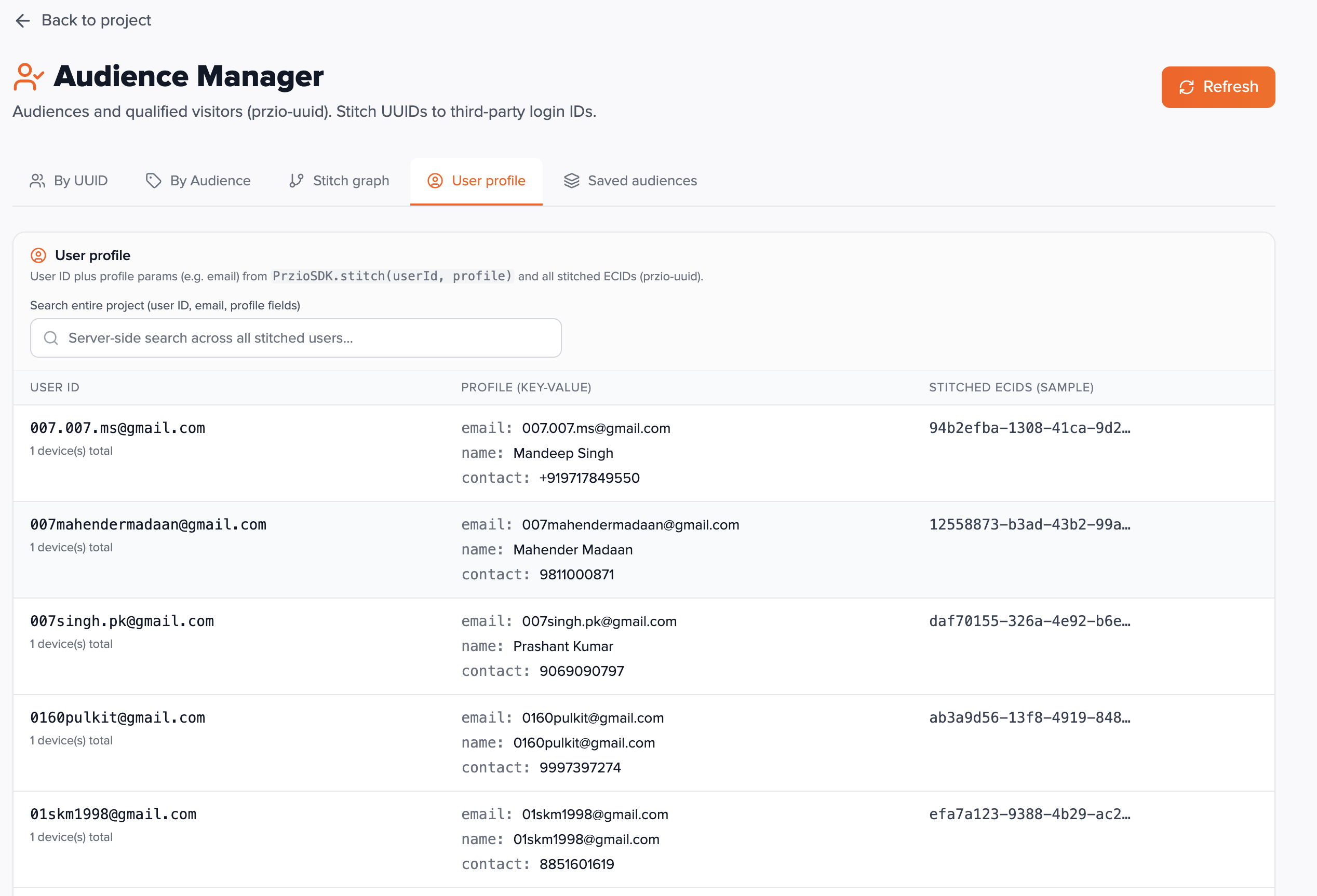
One row per stitched user with merged profile key-values and linked experience cloud / device identifiers when synced.
Search runs server-side and matches external user id or profile email. Useful for support and analytics teams verifying what was sent in stitch(..., profile).
Saved audiences
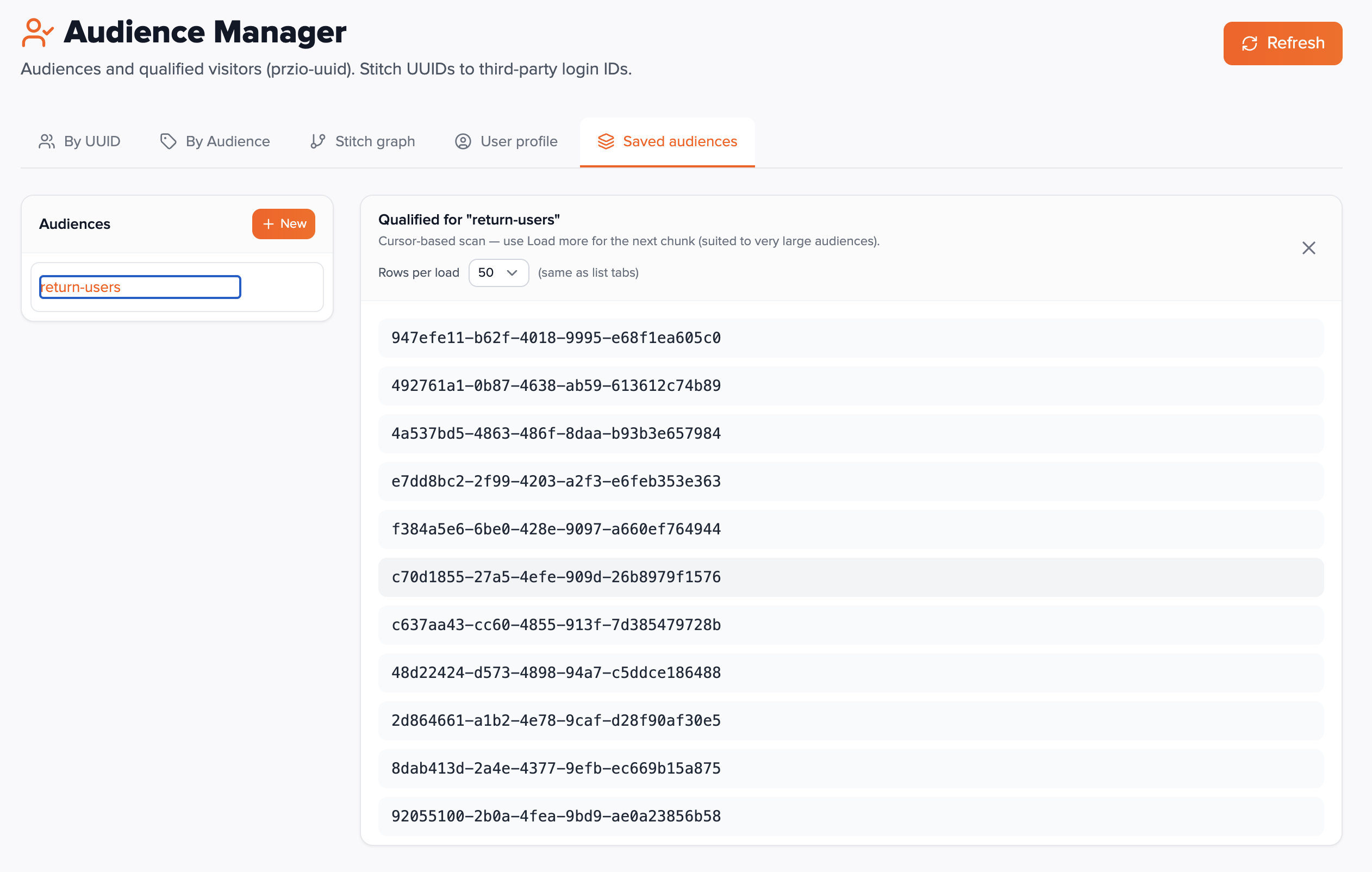
Create named segments with visual rule builder: drag attribute keys or existing audiences into include/exclude groups.
Each container uses AND or OR between rules. Attribute rules support operators such as equals, not equals, exists, comparisons, and contains. Exclusions can reference attributes or other audiences. Deleting a saved audience removes only the segment definition — visitor rows are unchanged.
Opening a segment loads members in batches from stored visitor data; use Load more for the next chunk.
Visitor API reference
Endpoints below read or ingest visitor documents (UUID rows, attributes, stitching, profiles). They do not cover saved-audience (segment) CRUD or segment membership APIs. Replace PROJECT_ID with your project id. Examples use https://app.przio.com.
Base URL
Project-scoped list and detail routes:
/api/projects/PROJECT_ID/audience/api/projects/PROJECT_ID/audience/by-attribute/api/projects/PROJECT_ID/audience/attribute-summary/api/projects/PROJECT_ID/audience/attribute-keys/api/projects/PROJECT_ID/audience/external-users/api/projects/PROJECT_ID/audience/external-users/EXTERNAL_USER_ID/visitors(URL-encode the id)/api/projects/PROJECT_ID/audience/unstitched/api/projects/PROJECT_ID/audience/user-profiles/api/projects/PROJECT_ID/visitor/VISITOR_ID
Browser ingest (no PROJECT_ID in the path; body carries projectId):
/api/sdk/audience-report
Authentication
| Endpoint | Auth |
|---|---|
/api/projects/.../audience/* | Authorization: Bearer <token> — user with project access (same checks as the Audience Manager UI). |
/api/projects/.../visitor/... | Bearer token; visitor must belong to the project. |
POST /api/sdk/audience-report | Called by sdk.js; validates body projectId + visitorId (not your dashboard JWT). |
POST /api/sdk/audience-report
Upserts one visitor row. Body JSON: projectId, visitorId (required); optional audience object, externalUserId, userProfile. Use primitive values in maps. Invoked by the SDK after setAudience / stitch sync — not usually called manually.
GET /api/projects/PROJECT_ID/audience
Paginated visitor list (newest activity first). Query: page (0-based), limit (default 50, capped), optional search (substring on visitor UUID or external user id).
Response includes visitors, totalCount, page, limit, totalPages, hasNextPage, hasPrevPage.
GET …/audience/by-attribute
Required query: key (attribute name). Optional: page, limit, search. Returns visitors whose audience map contains that key.
Attribute summary & keys
GET .../audience/attribute-summary — attributeKeys and keyCounts for the UI builder.
GET .../audience/attribute-keys — distinct keys via aggregation.
External users
GET .../audience/external-users — paginated distinct external IDs with UUID counts; optional search.
GET .../audience/external-users/:externalUserId/visitors — visitor UUIDs stitched to that user.
GET …/audience/unstitched
Visitors with no externalUserId. Query: page, limit, optional search (visitor id).
GET …/audience/user-profiles
One row per stitched user: external id, profile map, UUID counts, ECID lists (preview capped in response). Query: page, limit, optional search (external id or profile email).
GET /api/projects/PROJECT_ID/visitor/VISITOR_ID
Full detail for one UUID: attributes, qualified saved-audience names, stitch fields — same shape the By UUID detail drawer uses.
Implementation checklist
sdk.json site with correctdata-project-id.setAudienceupdates fire where behaviours should be tracked.stitchruns after authentication with stableexternalUserId.- Smoke test: open By UUID and confirm new visitors appear after browsing.
- Build one saved audience and verify members load.
- Document visitor API usage if you automate exports or integrations (Bearer token).
FAQ
Why is my visitor list empty?
No one has loaded your script yet, or setAudience has not run so nothing was synced. Confirm the script on a live page and trigger an audience update.
Are attributes PII-safe?
You control what you store. Follow your privacy policy and avoid secrets in audience keys/values; values are visible to anyone with project dashboard access.
Do saved audiences update automatically?
Definitions are stored; membership is evaluated against current visitor documents when you load members. Changing attributes on the site changes who qualifies on the next evaluation.