
Why the campaign manager is free
PRZIO already hosts your site, captures your leads, and runs your onsite campaigns. Email is the step that turns those leads into conversations, so charging for it would break the chain. Template building, scheduling, auto send rules, recipient folders, and delivery history are open to every project, and you connect your own SMTP so sending cost stays with your mailbox provider rather than a per contact bill.
Scheduling and deploying an email campaign
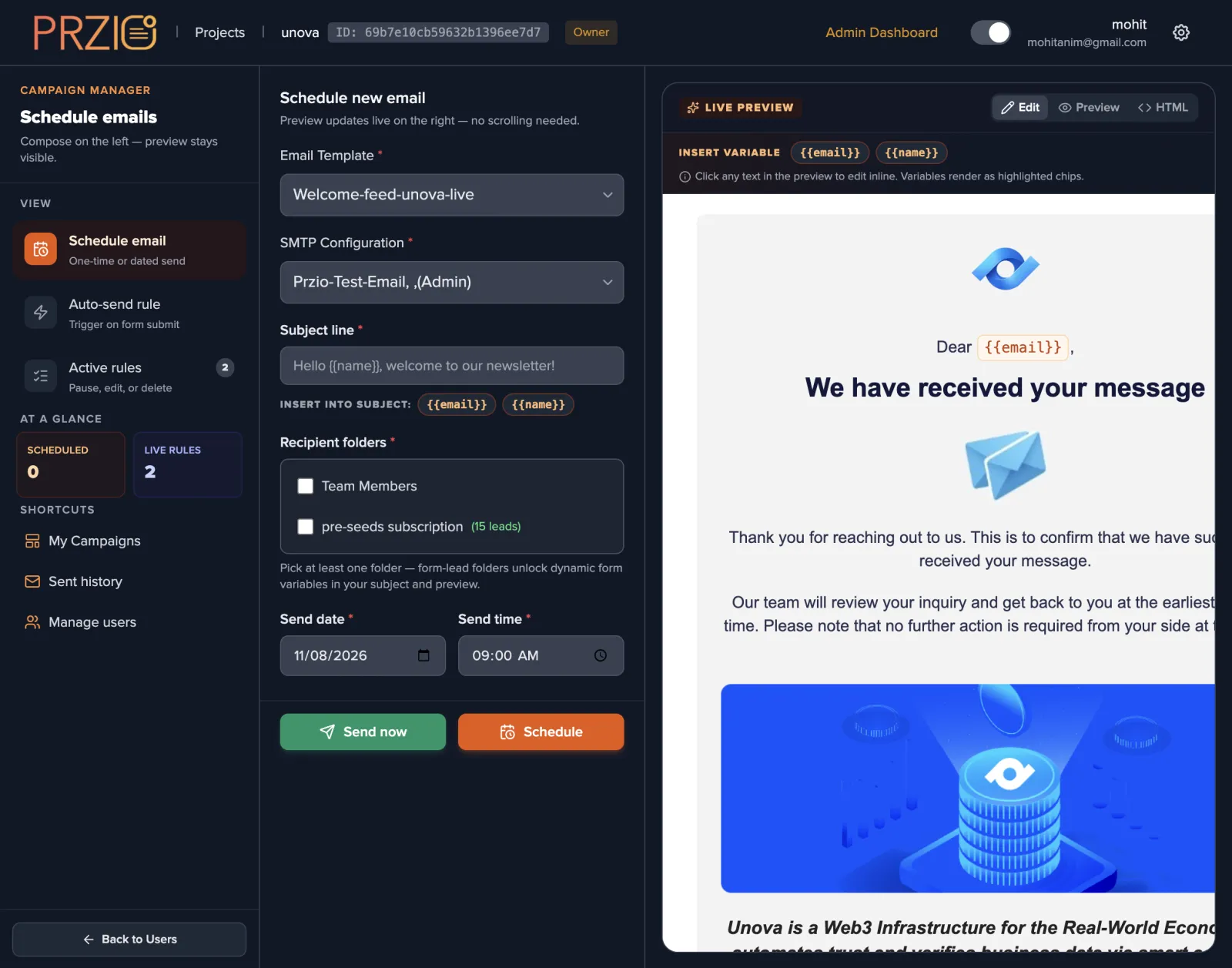
A scheduled campaign needs four decisions: which template, which SMTP profile, who receives it, and when. The composer keeps all four on one screen with the rendered email beside them, so you are never guessing what the recipient will open. Send now deploys straight away. Schedule places the campaign in a queue you can filter by scheduled, sent, failed, or cancelled, and every campaign in that list can be paused or cancelled before it goes out.
Subject lines take variables, so a single campaign can greet each recipient by name. Pick a form lead folder and the fields collected by that form become available as variables too, which means a launch email can reference the product someone asked about.
Automatic email from website form submissions
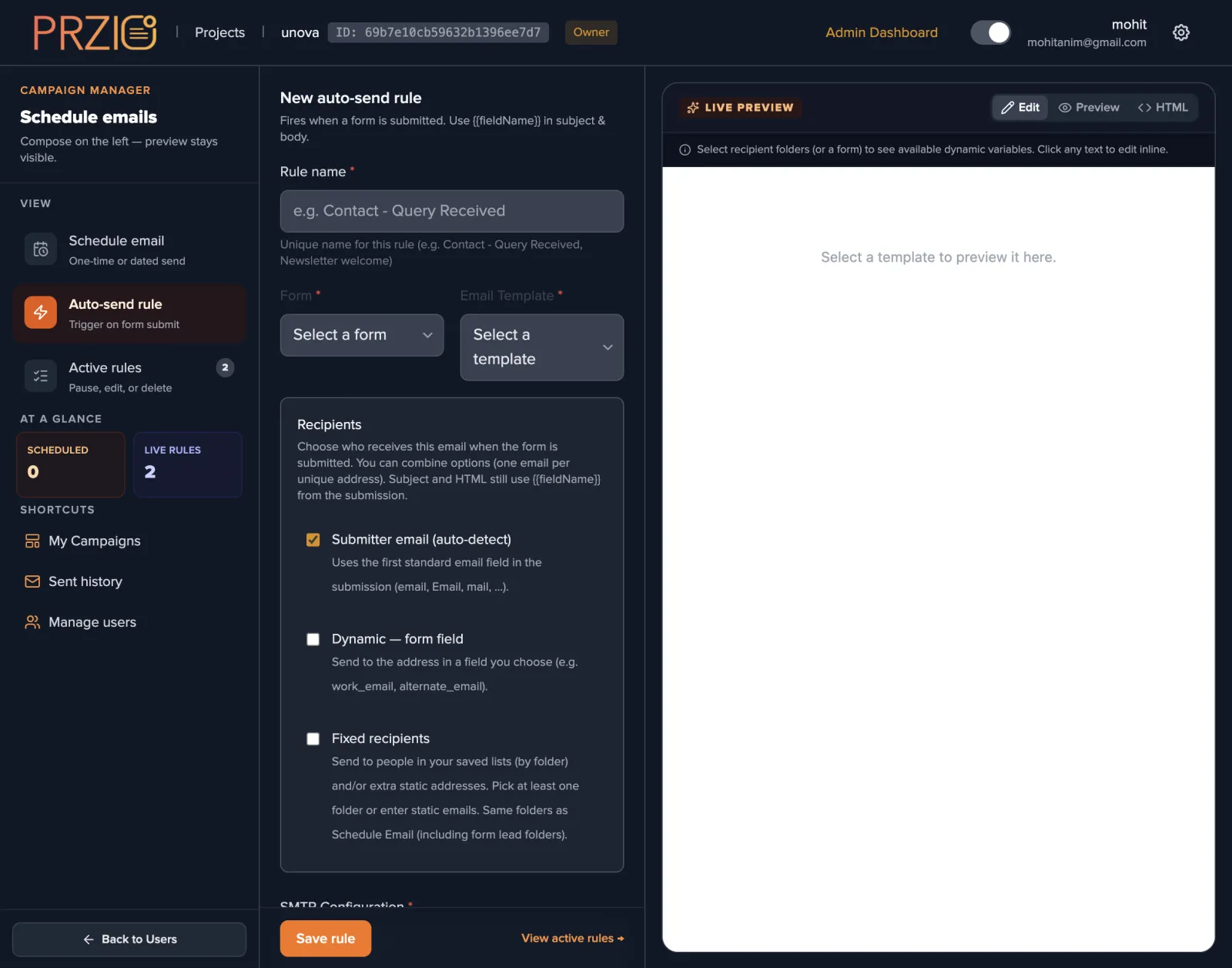
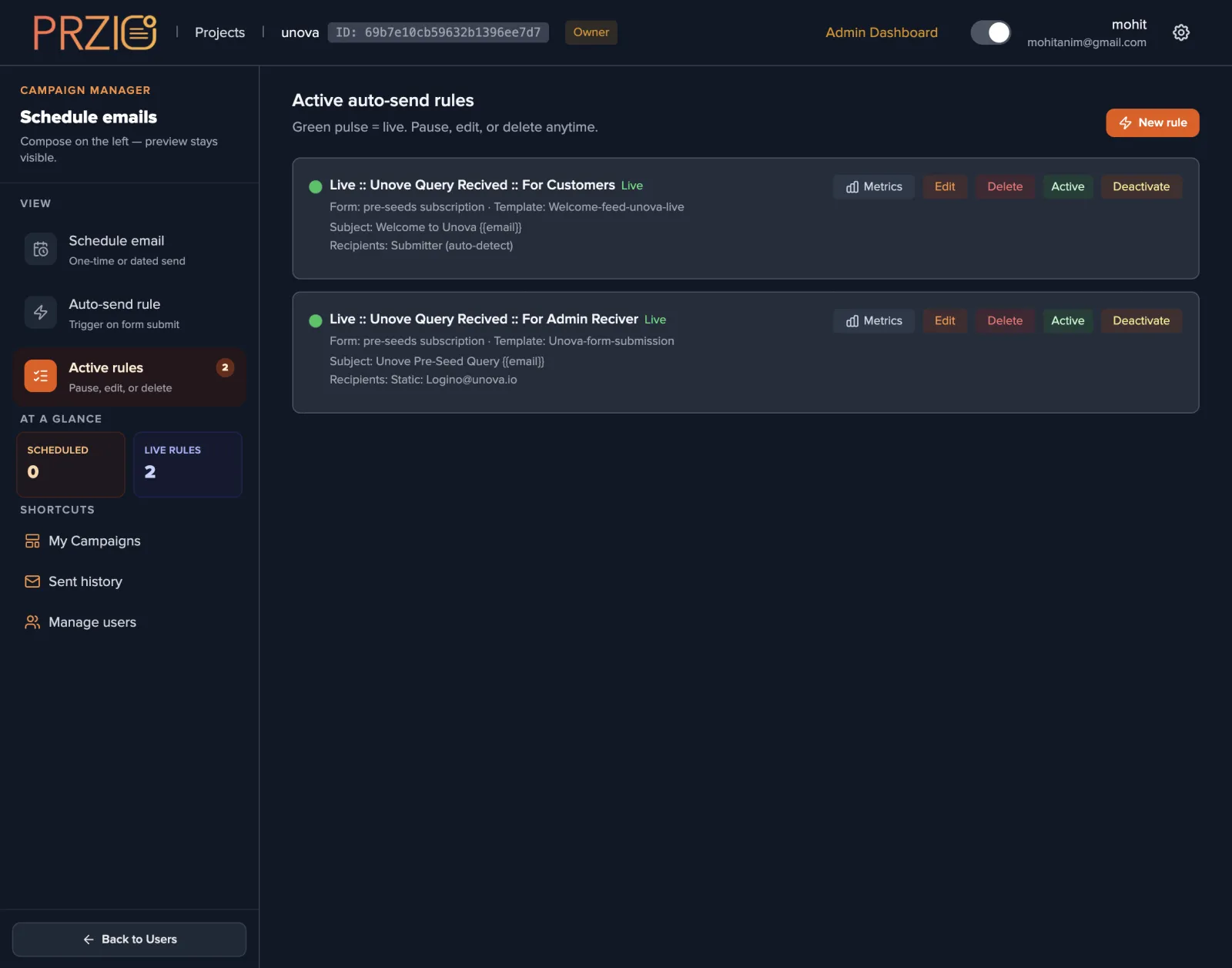
Auto send rules remove the manual reply. Attach a rule to any form built with PRZIO Forms, choose the template, and set the recipients. The submitter option finds the email address inside the submission on its own, so no field mapping is needed for a standard contact form. When the address lives somewhere unusual, point the rule at that field by name. Add fixed recipients and the same submission also lands in your sales inbox.
Rules run until you stop them. The active rules screen shows which are live, what they send, and who they send to, with pause, edit, and delete on each row. Because both the visitor confirmation and the internal alert can come from the same submission, one form can cover the customer experience and the handoff to your team.
Retargeting people who already know you
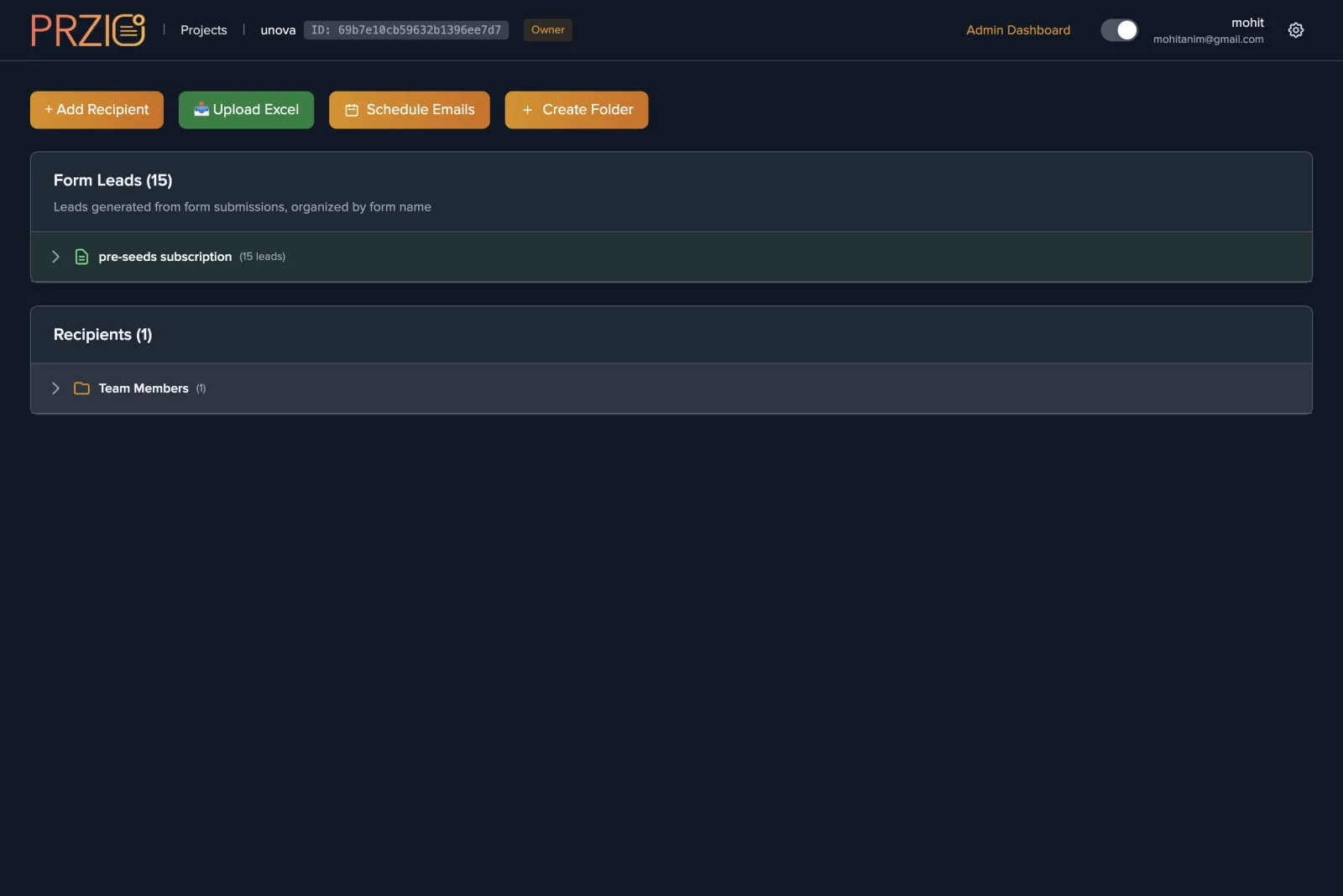
Leads collected through forms and popup campaigns stay grouped in folders, so a follow up campaign is a folder selection rather than a data project. Combine that with signals from the website tracker and audience manager to decide who is worth a second email and what offer belongs in it. Nobody has to download a CSV, clean it, and upload it somewhere else.
Campaigns for a new product launch
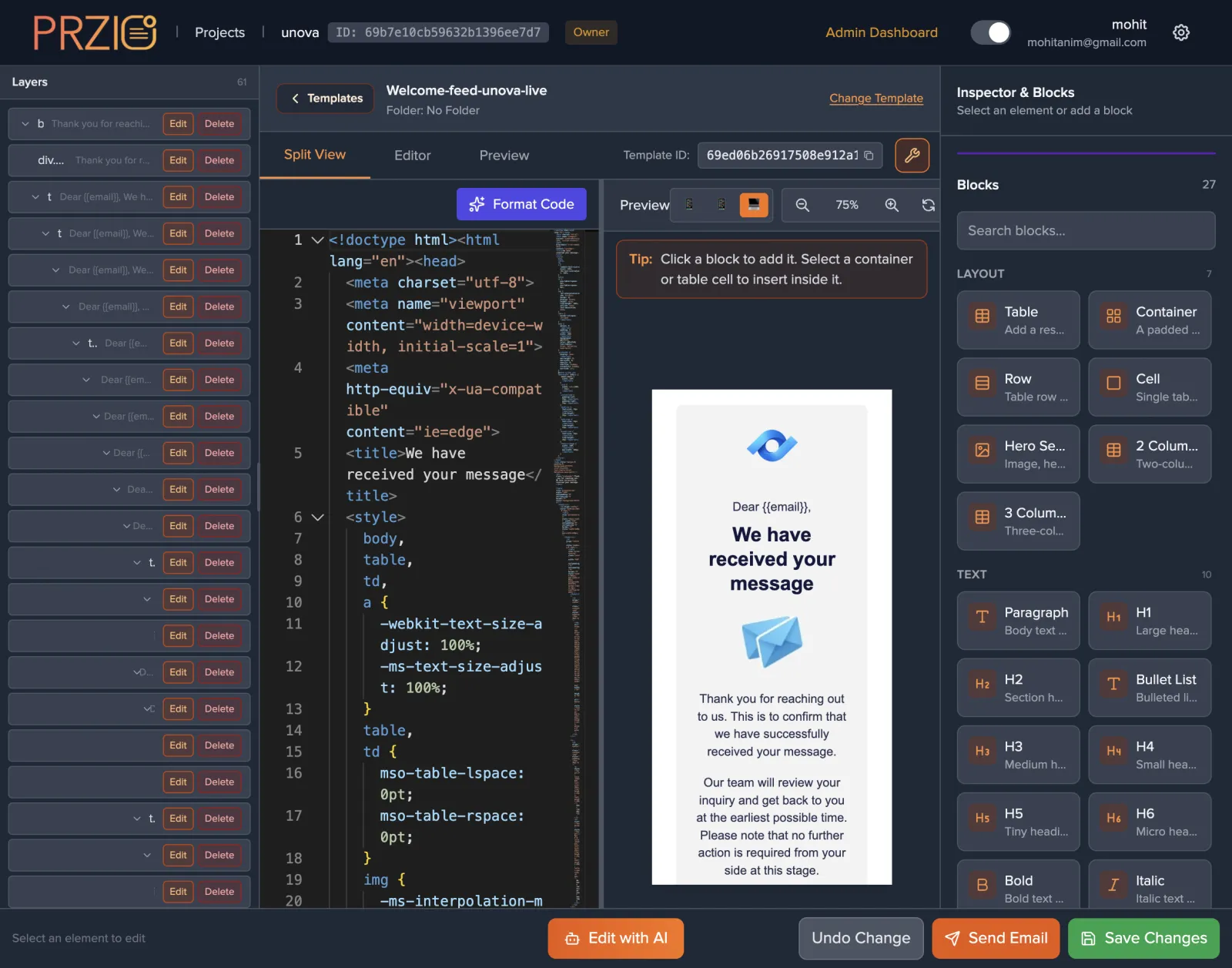
Launch email works best when it is written early and sent on time. Build the announcement in the template builder, preview it on mobile where most of it will be read, then schedule it against the folders that should hear first. Run a test send to yourself, keep the campaign in the queue, and adjust the copy in the preview until the send time arrives. Point the call to action at a landing page on your PRZIO hosted site so the click lands somewhere relevant.
Tracking what actually landed
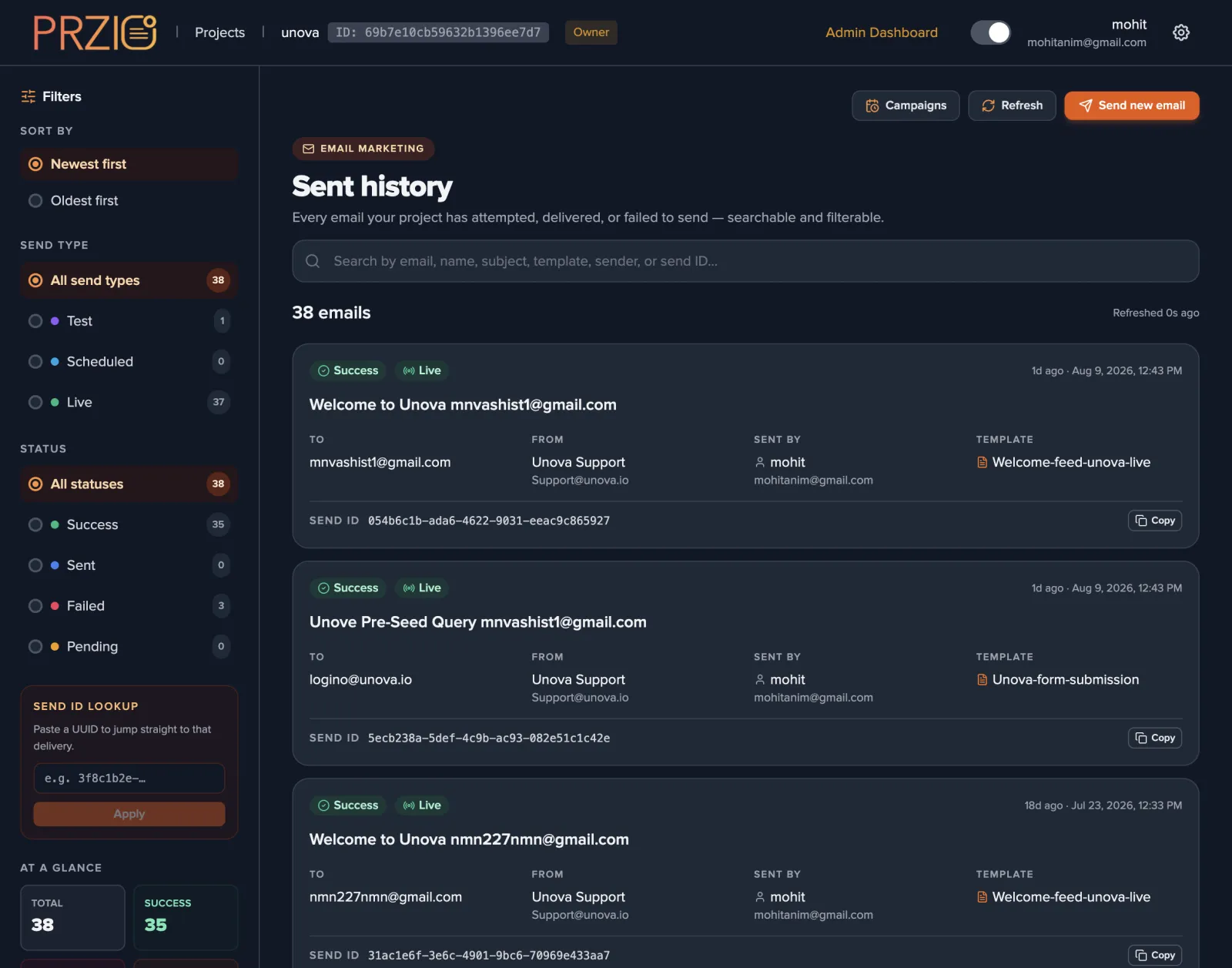
Open rates alone tell you very little. Sent history records the outcome of every individual send, marked success, failed, or pending, with the recipient, the sender, the template used, and a send ID you can copy into a support ticket. Rule level metrics narrow that view to one automation, which is how you confirm that every form submission this week really did get an answer.
Start free, or see it first
Create a project and the campaign manager is there. If you would rather watch someone set up a scheduled campaign and a form triggered rule on your own site, book a demo and we will walk through it together.